16
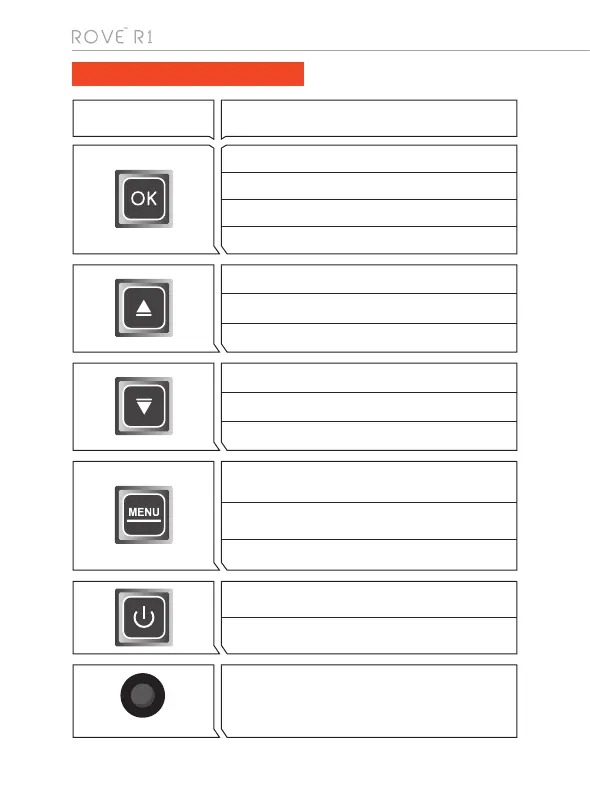
Button Function
Press Once - to confirm a selection
Press Once - to Start/Stop Video recording in Video Mode.
Press Once - to take a snapshot in Photo Mode.
Long Press for 2-Seconds to turn WiFi ON/OFF
Press Once - to turn the camera ON
Long Press for 2-Seconds to turn the camera OFF
UNDERSTANDING BUTTONS
RESET:
Insert paper clip to press the RESET button ONCE to reset
the camera if the camera’s buttons are NOT responding.
R
Press Once - to LOCK the current LOOP Video File
while video is being recorded
Long Press for 2 - Seconds to switch Modes
Press Once - to enter MENU Settings, Press again to switch
to System Settings, then press again to exit the menu.
Press Once - to Scroll UP while in Settings Menu
Press Once - to Mute/Un-Mute Microphone while in Video Mode
Long Press for 3-Seconds to Zoom In while in Video Mode.
Press Once - to Scroll DOWN while in Settings Menu
Press Once - to Turn OFF/ON LCD while in Video Mode
Long Press for 3-Seconds to Zoom Out while in Video Mode



 To Next Page