8
FORMATTING MEMORY CARD:
Must use only Brand Name, Class-10, U3 or higher speed Micro-SD Card.
Max support 128GB
We Recommend SAMSUNG Class 10, U3 Speed Micro-SD Card.
You can
purchase it from Amazon here: http://a.co/2tXJzIL
TO INSTALL:
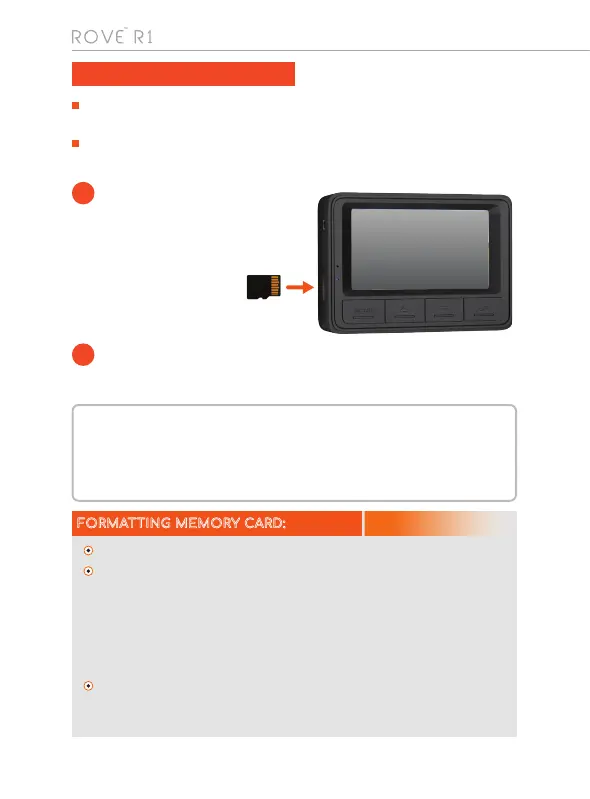
Insert the MicroSD card
halfway in with the gold
contacts facing the LCD
side (back of the
camera). Now gently
push the card
inward until it clicks
and lock in place.
MOST IMPORTANT about Memory CARD: If you experience camera FREEZING or
LAGGING or STOPS Recording after few seconds. Then It is the issue of the MEMORY
CARD. (NOT THE CAMERA ISSUE) - Please Contact US.
Do not remove or insert MicroSD card when the camera is powered on which may
damage the memory card.
1
TO REMOVE:
To remove the MicroSD card, gently push its top edge inward until it
clicks, and then pops out, then simply pull it out of the slot.
2
Please press OK button to make sure the video is stopped recording first.
Then press the MENU button TWO times to go to the camera’s system
settings. > Then press the DOWN button to scroll down until you see format.
>> Then press the OK button to enter format submenu. >>> then press
DOWN button to highlight the FORMAT. >>>> Then press the OK button to
confirm to format the memory card (The formatting process will be super
quick. You will see pop up message “Please Wait” and once it is gone, which
means formatting is complete.).
After FORMATTING is complete, please restart the camera. (Long press
power button for 2-Seconds to turn OFF, and then press the power button
once to turn ON)
INSERTING MEMORY CARD



 To Next Page