1
2
3
4
6
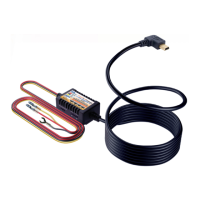
When this feature is set to ON and ROVE Ultimate USB
Type-C Hardwire Kit is installed properly.
Then, when you turn OFF the car’s engine and turn the key to
the lock position.
Then the camera will STOP the continuous video recording
and it will go into the motion detection mode and the camera
will stay ON and idle, but LCD will be off after some seconds.
Now the camera will only record video when it detects
motion in front of the FOV of the camera and then it will
record until there is no more motion is detected.
Now while the camera stays in Motion Detection mode, If
someone hits your car and the impact reaches the set
G-Sensor level, then the camera will stop the motion
detection mode > then it will start to record 1-min continuous
video, save & lock that video in EVENT folder > then return
back to the motion detection mode.
Now when you start your car for the next time, the camera
will automatically STOP the motion detection & G-Sensor
parking mode, and it will go back into normal video mode
automatically to start the continuous video recording.
NOTE
HOW DOES THE "MOTION DETECTION &
Motion Detection & G-Sensor: (See how this feature works)
54
USER MANUAL


 To Next Page