TO REMOVE
To remove the Micro-SD card, gently push its edge inward until
it clicks and pops out, and then simply pull it out of the slot.
2
1
2
3
FORMATTING MEMORY CARD
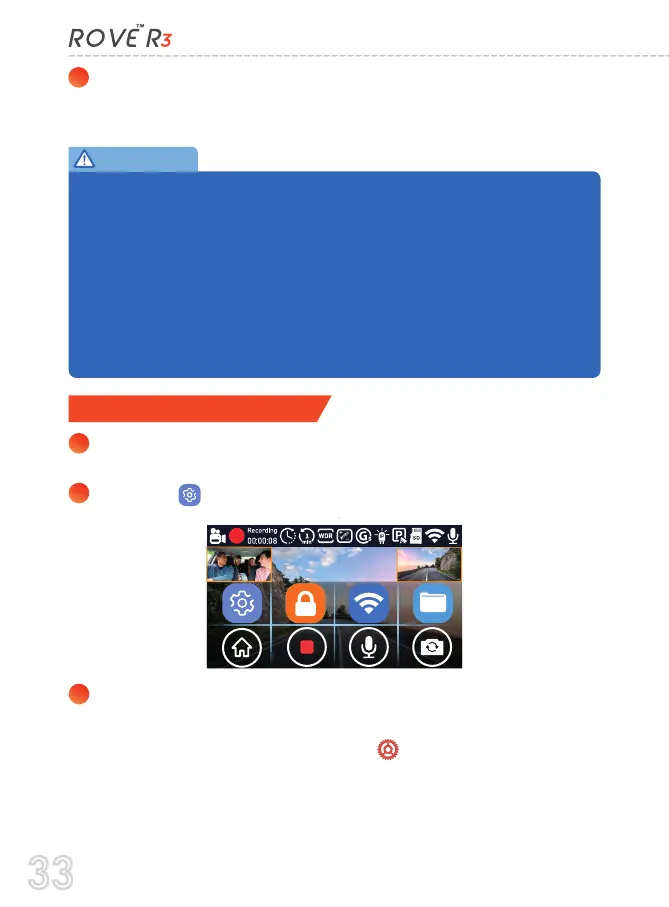
Press anywhere on the LCD screen of the camera to access the
Menu Settings
Select the gear icon on the Menu.
Now, you will see the Back, Video Settings, and System Settings
menu on the left side of the screen.
Please select the System Settings (gear icon) to go to the
camera's System Settings.
Now, select the "Format Micro-SD Card" from the lists of
options.
If you experience camera FREEZING or LAGGING or STOPS Recording after
few seconds. Then It is the issue of the MEMORY CARD. (NOT THE CAMERA
ISSUE) - Please Contact US.
ROVE R3 Dash Camera is High Bit-Rate Video recording device. Which
requires High Speed Rating SPECIFIC Micro-SD Cards.
Absolutely do NOT buy Sandisk Cards, Samsung Evo Select, Samsung Pro
Plus 128 GB, or any other generic cheap memory cards. You have
purchased a high-end dash cam, so please invest in a good reliable memory
card also. Do NOT Purchase it from third party seller on eBay or any online
place. Otherwise they may be a counterfeit cards and will NOT work.
IMPORTANT:
33



 To Next Page