00:10 01:00
1X
2030_03_01_053127_N_A.MP4
Playback Your Recorded Videos
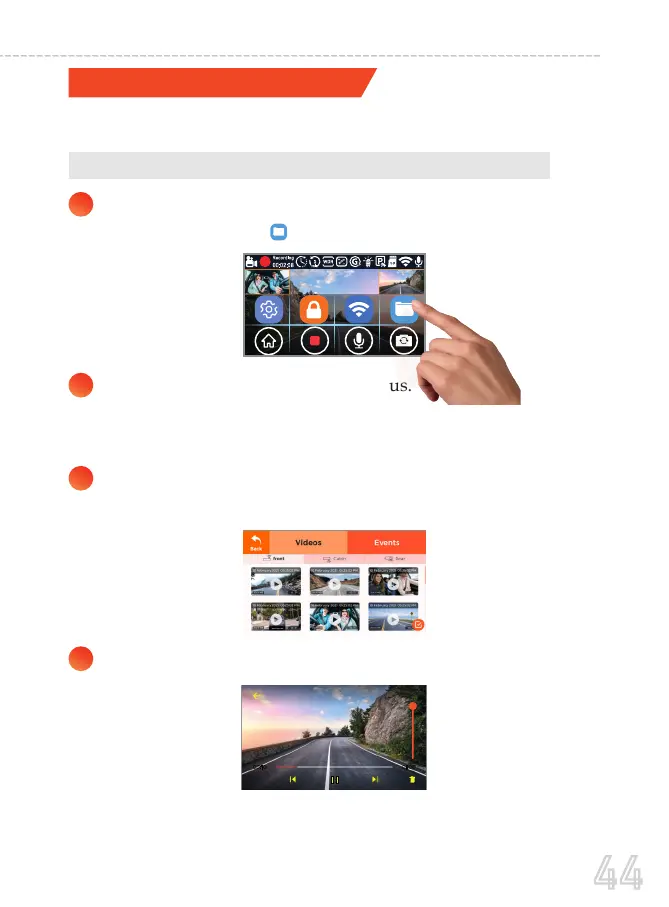
A. Directly on the CAMERA by going to the Playback Mode
There are 3 different ways you can access your videos.
1
2
4
Touch the screen anywhere to access the on-screen Menu.
And then press the to go to the Playback Mode
On top you will see two main menus.
Videos - this is where normal videos are stored.
Events - this is where locked videos are stored.
3
Under Videos, you will see 3 separate folders for the front,
Cabin, and rear videos.
Select the video file you want to play.
44
USER MANUAL



 To Next Page