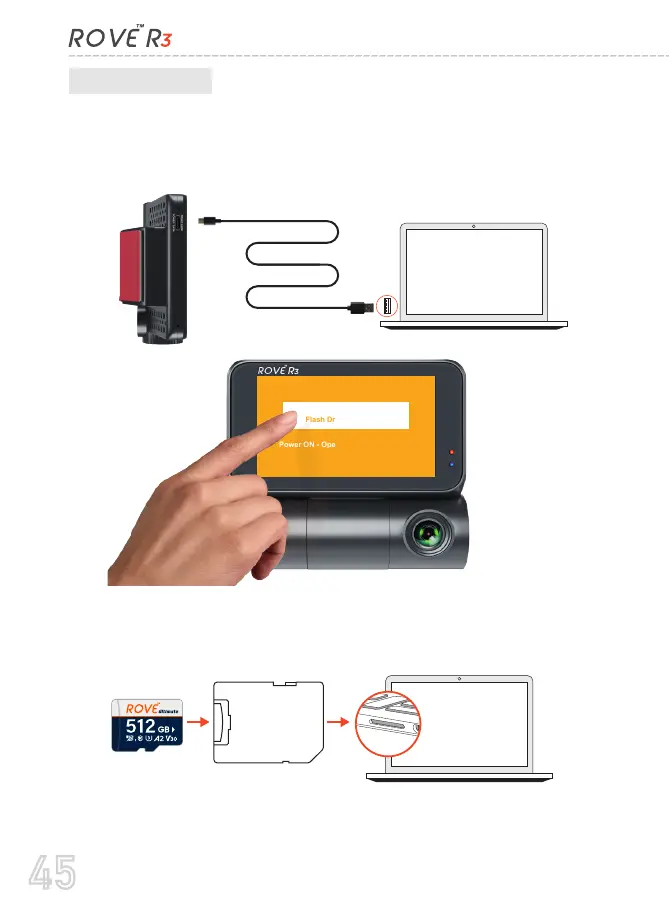
To play on your PC/Mac, simply connect the camera using included
short USB Data cable and choose the Connect as USB Flash Drive on
the camera when this message pops up.
B. On PC/MAC
You can simply remove the memory card from camera and insert it
directly in your PC if you have a memory slot.
Then find the added memory card drive “ROVE R3” on your
computer and then simply double click on the video to play them.
Or,
SD Card
Adaptor
Connect ROVE R3 as USB
Flash Drive to PC/MAC
Power ON - Operate Camera Normally
Short 1M Data Cable
45



 To Next Page