UNDERSTANDING 2 – CAMERA MODES
VIDEO MODE
PLAYBACK MODE
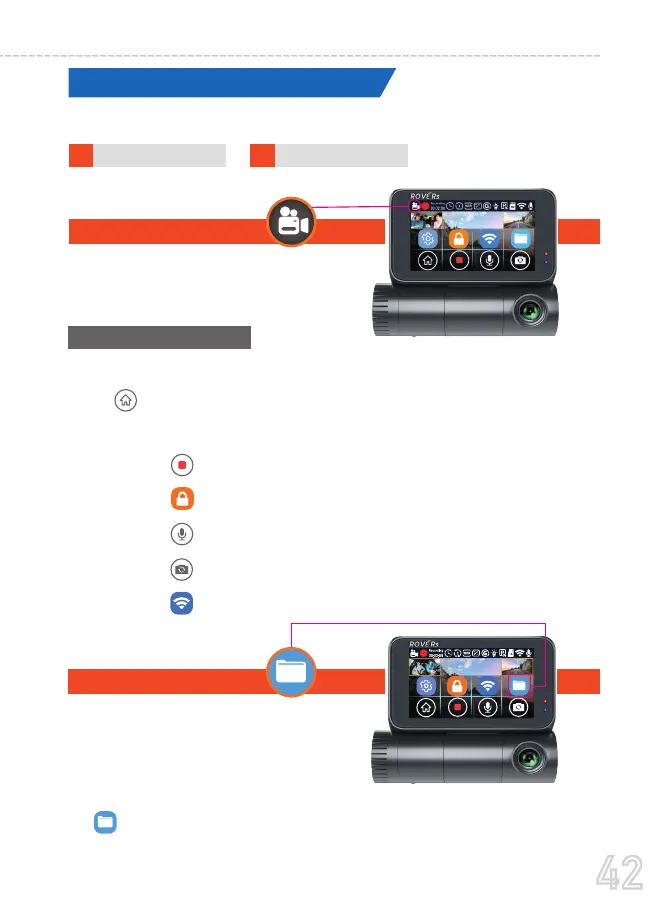
ROVE R3 has 2 different camera modes:
Video mode lets you record live videos and
store them on the installed Micro SD card.
•
•
•
•
•
•
Touch the screen anywhere to access the on-screen Menu (Touch
the to minimize the Menu or simply press anywhere on the
screen outside the Menu)
Touch the to Stop/Resume the video recording manually.
Touch the to lock the current loop video.
Touch the to turn OFF/ON the built-in microphone
Touch the to change the camera view on the screen.
Touch the to turn ON/OFF WiFi
Playback mode lets you View or delete
video files while viewing them.
Touch the screen anywhere to access the on-screen Menu. And then press
the to go to the Playback Mode
42
USER MANUAL



 To Next Page