10
Locks & Alarm
Unlocking
With the remote handset:
• Press the unlock button once. This will disarm the alarm and
unlock the driver's door only (see ‘Single point entry’).
• Press the unlock button twice to disarm the alarm and unlock
ALL the doors.
In either case, the direction indicator lights flash once and the
interior lights illuminate.
With the key:
• Turn the key in the driver's door lock towards the front of the
car to disarm the alarm and unlock the driver's door only (see
‘Single point entry’).
• Turn the key twice (or press the interior locking button), to
unlock ALL the doors.
Single point entry
This feature can be disabled by an MG Rover dealer.
This is a personal security feature, which enables the driver's door
alone to be unlocked, leaving the other doors in a locked state. It
can be operated by the remote handset as follows:
Press the unlock button once (or turn the key in the driver’s door
lock towards the front of the car) to unlock the driver’s door. Press
the unlock button (or turn the key) a second time to unlock the
remaining doors.
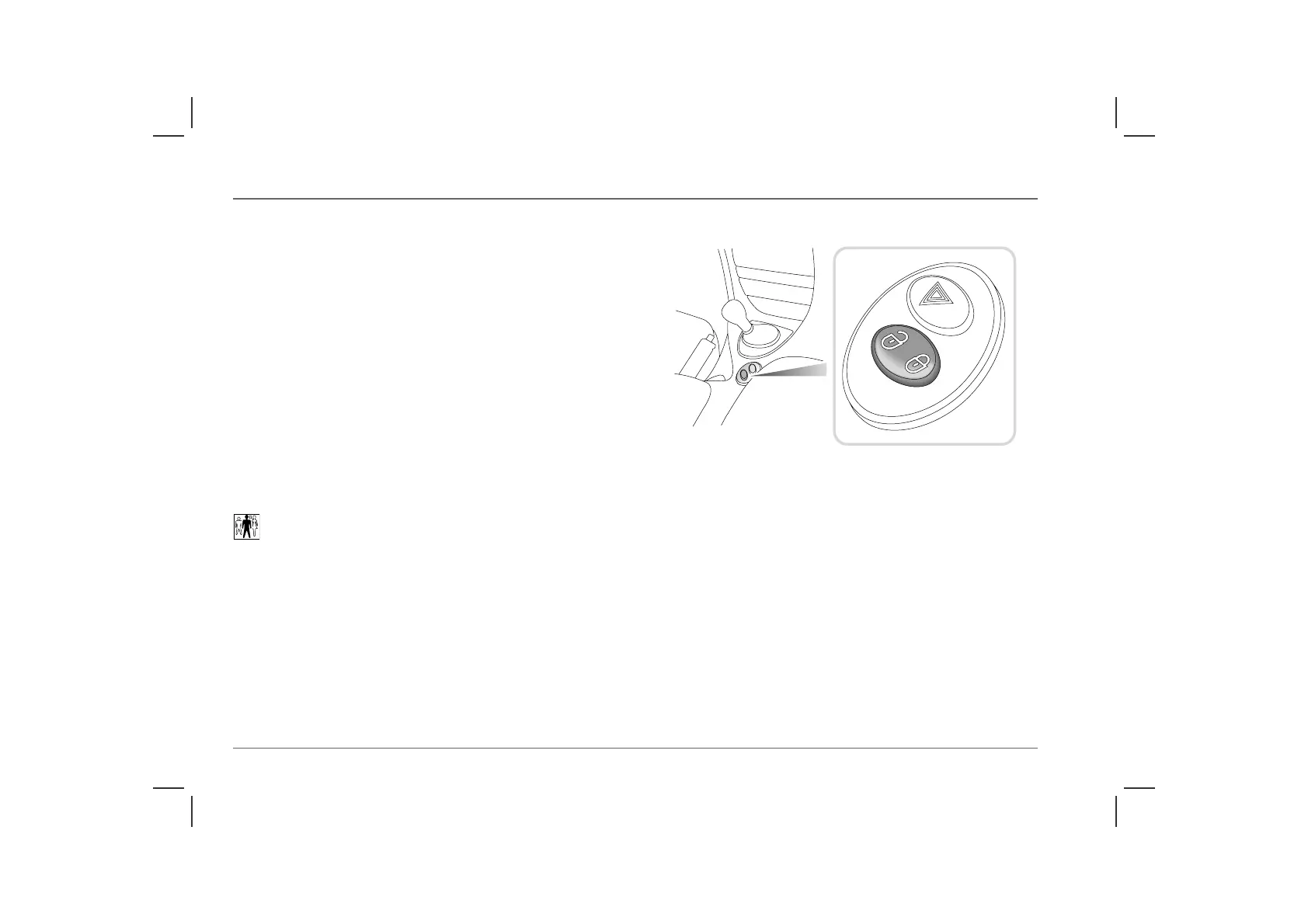
Interior locking switch
This is a personal security feature which allows the driver to lock
(or unlock) all the doors from inside the car (while driving or with
the car stationary). Press the closed padlock symbol on the switch
to lock (the alarm will not be armed), and the open padlock
symbol to unlock.
NOTE: The locking switch will not operate the locks if the alarm has been
armed.
H2781a



 To Next Page