Harmony - Radio
141
3
Harmo ny - Radio
SOUND CONTROLS
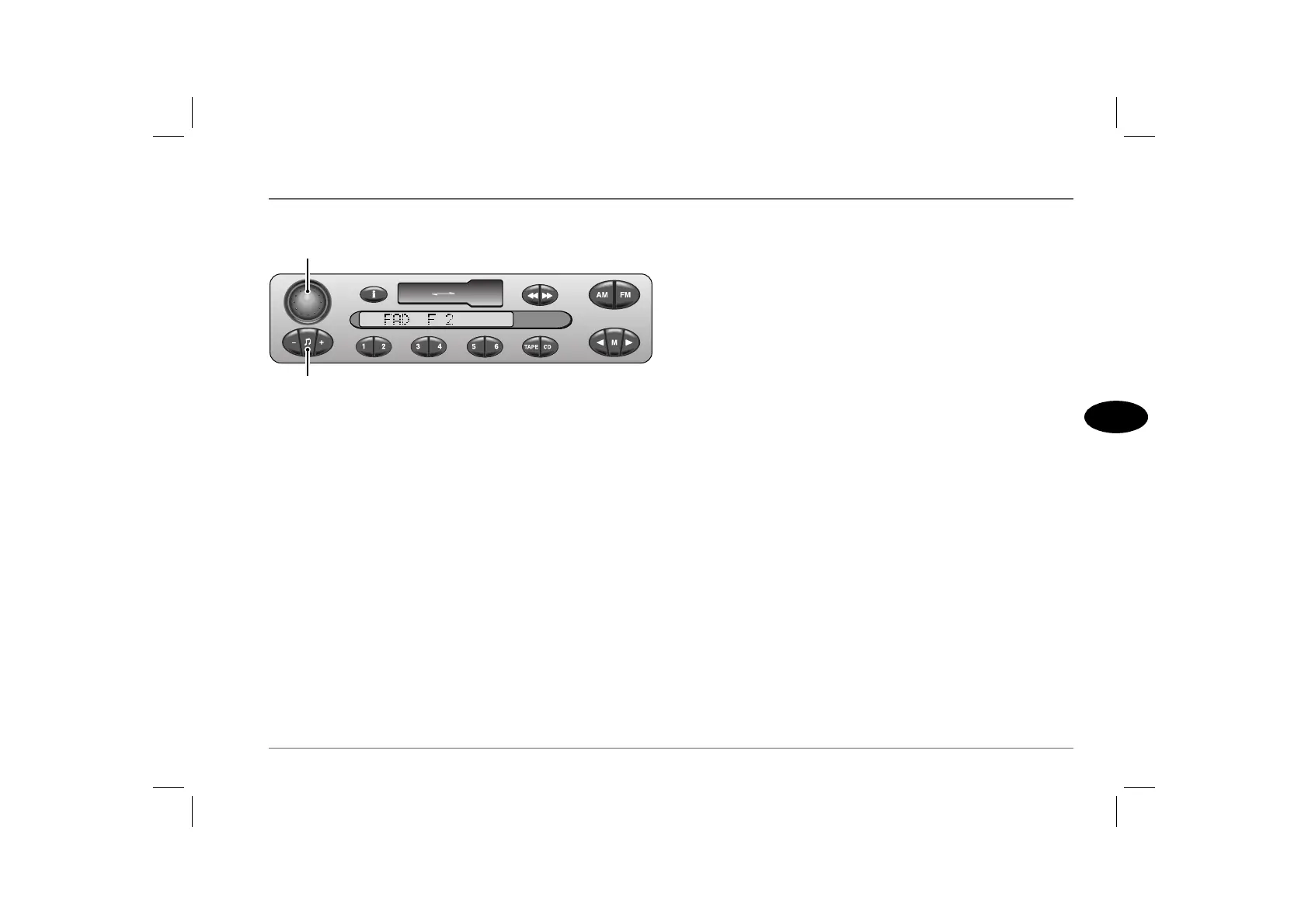
1. On/off and volume control
Press to switch on (display briefly shows ‘CODE ENABLED’).
Press again to switch off.
Rotate steadily to right or left to adjust the volume.
The volume can also be adjusted using the remote switches on the
steering wheel (see ‘REMOTE AUDIO CONTROLS’,
page 125).
NOTE: If you have a car telephone with a mute signal output connected
to the stereo system, radio, tape or CD play automatically mutes when the
telephone is in use.
2. Audio selection button
Press one or more times to select bass, treble, fader or balance
(display confirms selection), as described below.
Press and hold for at least two seconds to zero all audio settings
(display shows ‘FLAT’).
Bass: Press once, then operate the ‘-’ or ‘+’ buttons to reduce or
increase bass response. The display shows:
• ‘BASS -6’ = minimum bass
• ‘BASS 0’ = normal bass
• ‘BASS +6’ = maximum bass
Treble: Press twice, then operate the ‘-’ or ‘+’ buttons to reduce or
increase treble response. The display shows:
• ‘TREB -6’ = minimum treble
• ‘TREB 0’ = normal treble
• ‘TREB +6’ = maximum treble
Fader: Press three times, then operate the ‘-’ or ‘+’ buttons to
adjust the balance between front and rear speakers. The display
shows:
• ‘FAD F 6’ = max sound from FRONT
• ‘FAD 0’ = equal balance
• ‘FAD R 6’ = max sound from REAR
Balance: Press four times, then operate the ‘-’ or ‘+’ buttons to
adjust the balance between left and right speakers. The display
shows:
• ‘BAL R 6’ = max sound from RIGHT
• ‘BAL 0’= equal balance
• ‘BAL L 6’ = max sound from LEFT
NOTE: After 8 seconds without further adjustment, the audio selection
mode is cancelled automatically.
ICE0140
1
2



 To Next Page