Harmony - Cassette Player
143
3
Harmony - Cassette Player
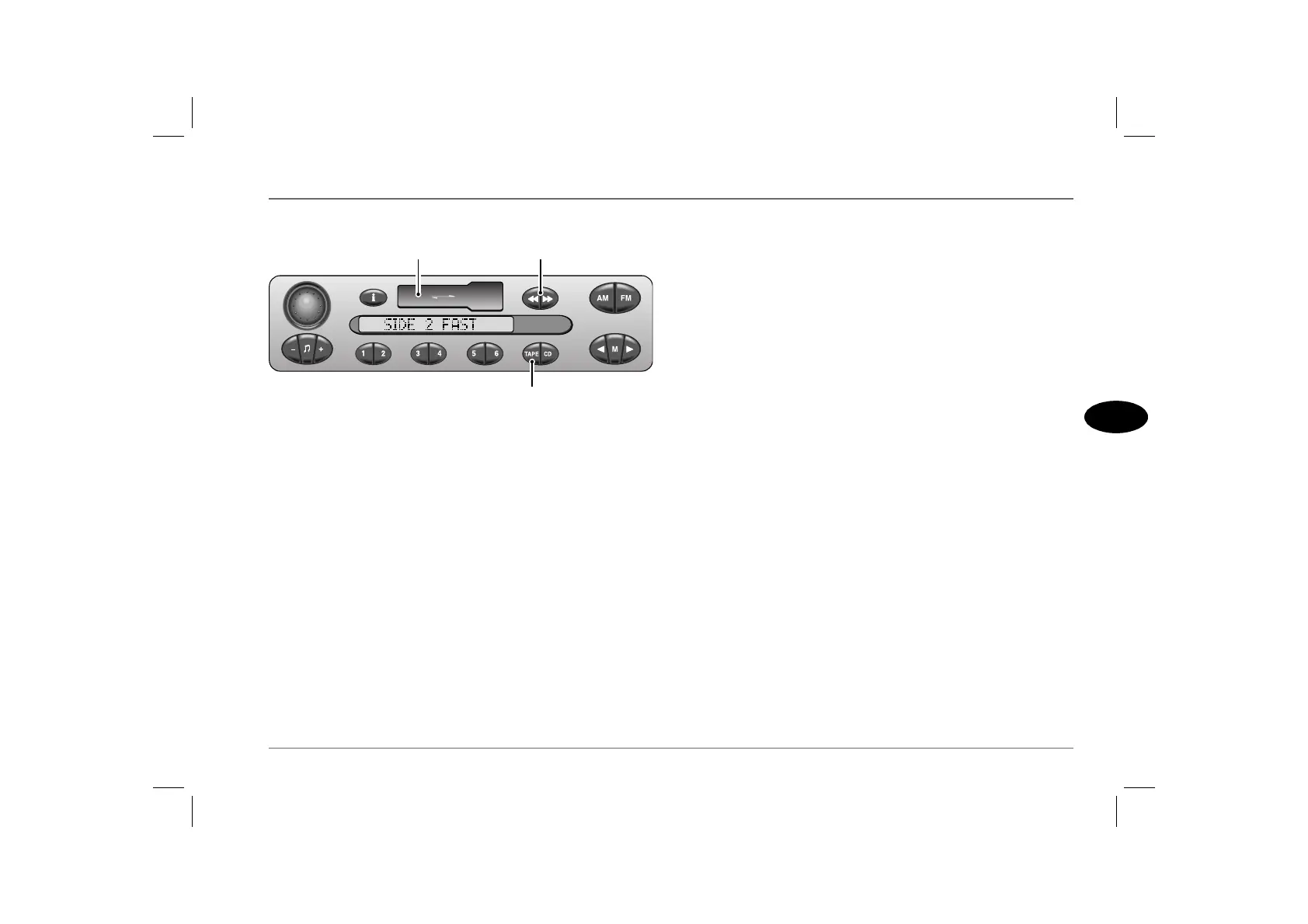
CASSETTE PLAYER CONTROLS
9. Cassette compartment
Insert the tape with the open side to the right and push in carefully.
The radio mutes and tape play starts immediately
(display shows ‘SIDE 1’ or ‘SIDE 2’).
At the end of either side of the tape, play will automatically
continue in the opposite direction.
If the set is switched off during tape play, the cassette remains in
stand-by mode. Play resumes when the set is switched on again.
10. Fast forward/rewind/reverse and eject buttons
During tape winding, ‘FAST’ shows in the display.
• To forward or reverse wind, press either one of the two
buttons.
• To stop tape winding, half press the remaining (unlocked)
button. Tape play will automatically resume.
• To reverse the direction of tape play, half press both buttons
simultaneously.
• To eject the tape, FULLY press both buttons simultaneously.
The unit returns to radio mode, selecting the waveband and
frequency last in use.
11. Tape mode selector
Press to select tape play (display shows ‘SIDE 1’ or ‘SIDE 2’).
To change to radio reception during tape play, press either of the
waveband selection buttons (FM or AM) - tape play will stop and
the radio automatically selects the frequency last in use on
whichever waveband was selected.
To return to tape play, press the tape mode button.
NOTE: The remote switches on the steering wheel can also be used to
change to or from radio or tape play (see ‘REMOTE AUDIO
CONTROLS’, page 125).
ICE0147
9 10
11



 To Next Page