146
Harmony - Radio Tuning
RADIO PRE-SET BUTTONS
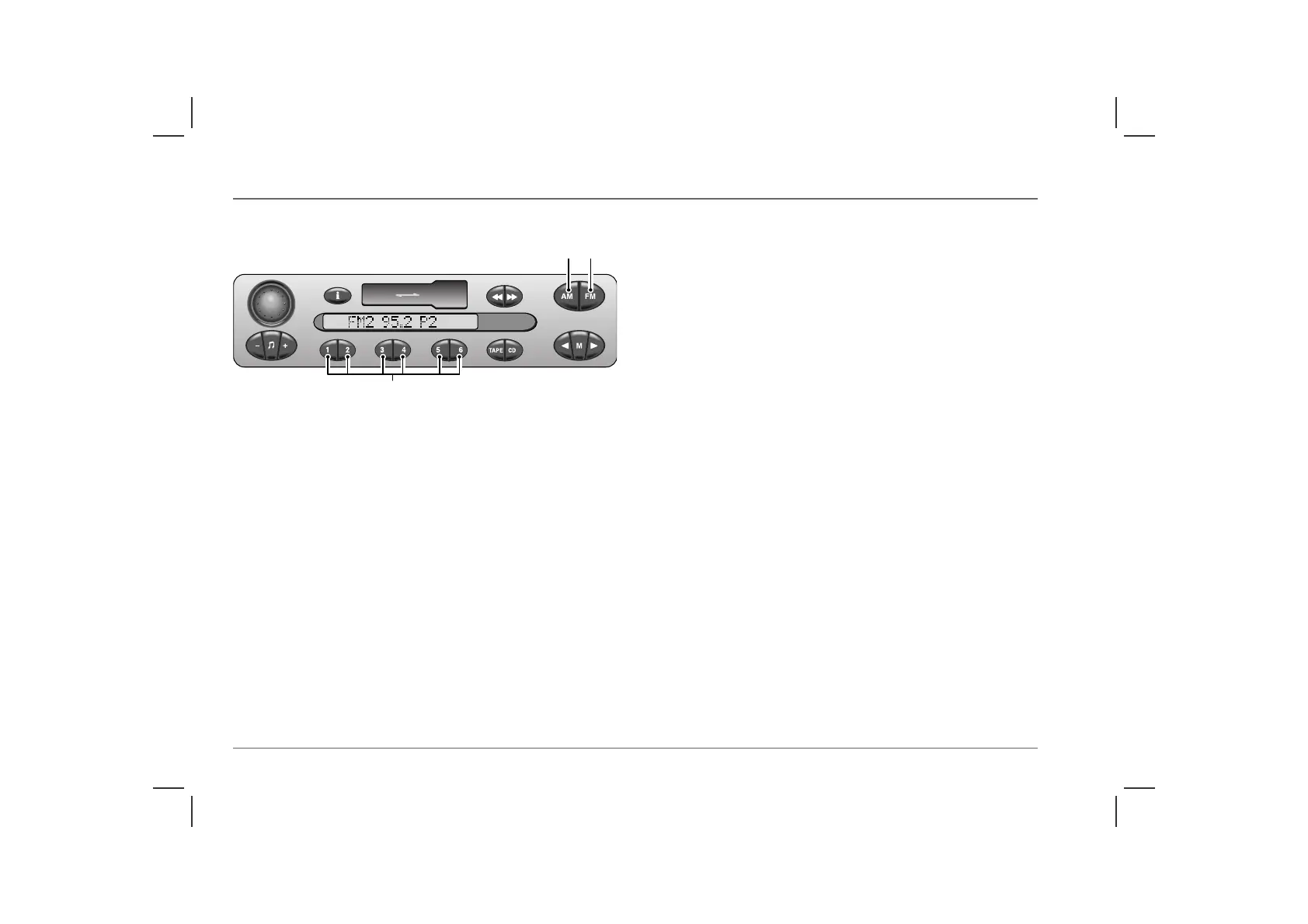
The six pre-set buttons (7) can be used to manually store up to
twelve FM stations (six each on FM1 and FM2), twelve MW
stations (six each on MW1 and MW2), and six LW stations.
Programming the pre-sets
• Select the required waveband (FM1, FM2, MW1, MW2 or
LW).
• Tune to the desired frequency using either automatic or manual
tuning.
• Press and hold one of the pre-set buttons. The radio will mute
while the frequency you have chosen is stored on the pre-set.
The display briefly shows the frequency and station name
(where appropriate) of the radio station previously stored on
the pre-set, and then the new frequency (and station name).
• Release the pre-set as soon as radio sound is restored and the
new frequency details are displayed.
NOTE: Once the pre-sets have been programmed, they will be retained
by the unit until either; they are re-programmed, or power to the audio unit
is disturbed (car battery disconnection for example).
Operating the pre-sets
Once the pre-set buttons have been programmed, operation is
simple; select the desired waveband, then press the pre-set button
of your choice.
ICE0143
4 3
7



 To Next Page