CD and Radio Digital Audio
10
14
13
15 16
ICE0126A
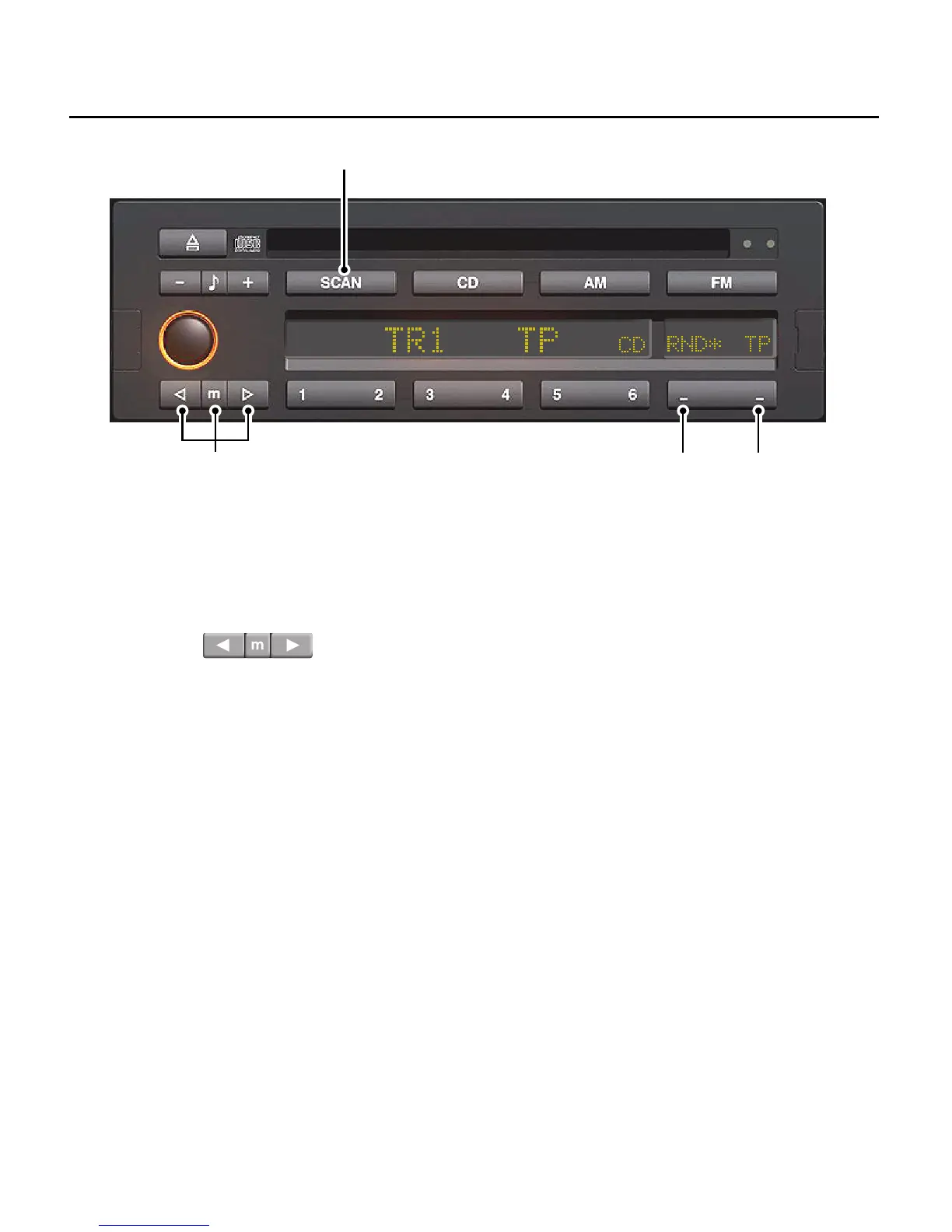
13. Track selection and fast
forward/reverse buttons
Briefly press the ’up’ or ’down’ button to
either advance to the next track, or
return to the start of the current track.
Press either button repeatedly to move
forward or back through several tracks at
a time.
To fast forward or reverse through a track
that is currently playing, press the central
’m’ button (manual), then press the up or
down button to fast forward or reverse
through the track.
14. Scan mode button (SCAN)
Press the ’SCAN’ button, the first 10
seconds of each track of the CD is
played. The display shows the number of
the track presently being scanned (e.g.
’TR 1’). Stop the scan mode by pressing
the scan button once more to continue
play at that track. At the end of the CD,
scan will return to track 1 and continue
scanning until a track is selected.


 To Next Page