SECURITY CAMERA User Manual
WWW.RSRTENG.COM Page.18.
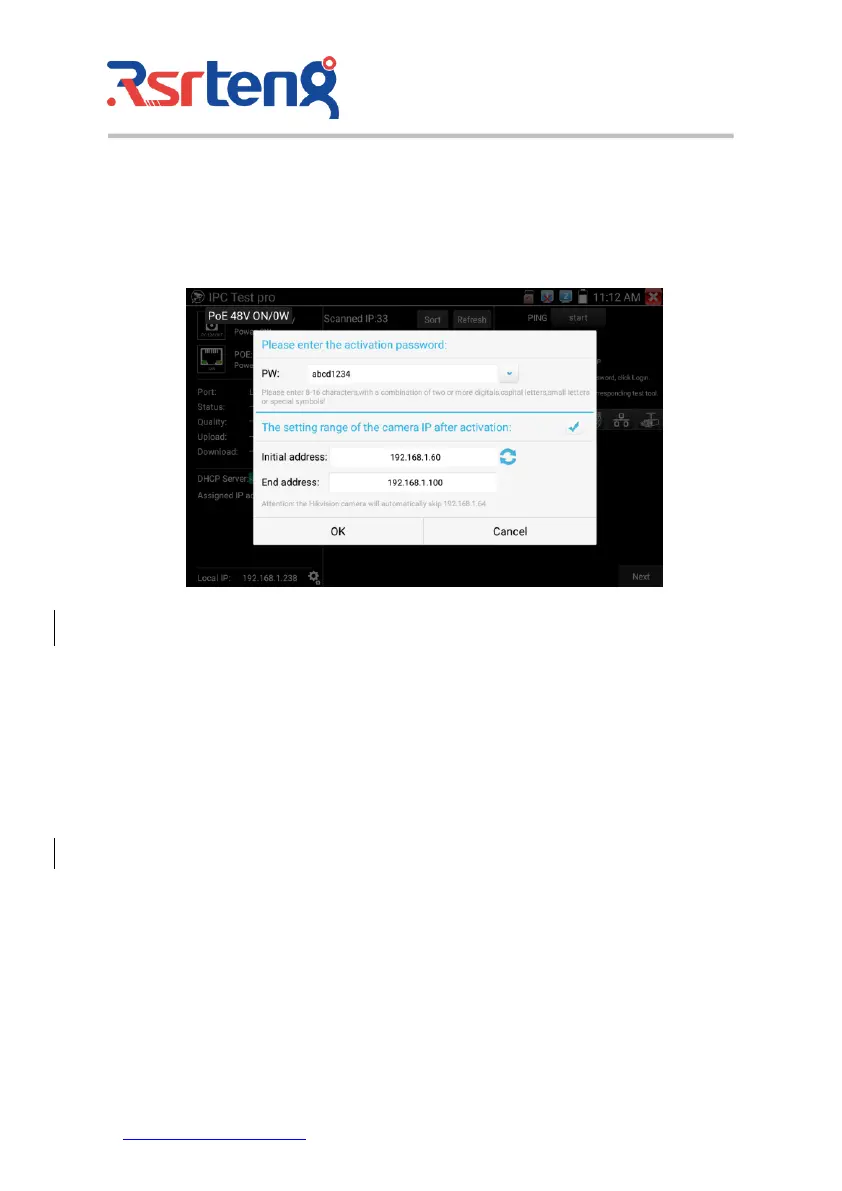
HIKVISION and Dahua camera activation
After searching for inactive cameras, click on the camera IP to pop up an activation window.
All inactive cameras will be activated in batches, and after activation, the camera IP addresses will be
automatically incremented modified by default. The IP address range can be set by yourself.
Camera image display:
1) Input the correct Username and Password, When there is no input box, click "Logout" to expand
the input box.
2) Click the camera IP to display the camera image.
3) Double-click the image display area or click "Next" to jump to the ONVIF function.
4) Dahua, Hikvision, and Uniview etc camera can be tested with the corresponding camera test tool
on the right side of the IP list.



 To Next Page