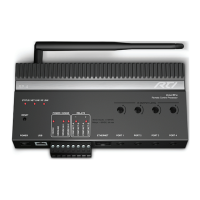
Advanced Control Processor
XP-8
12
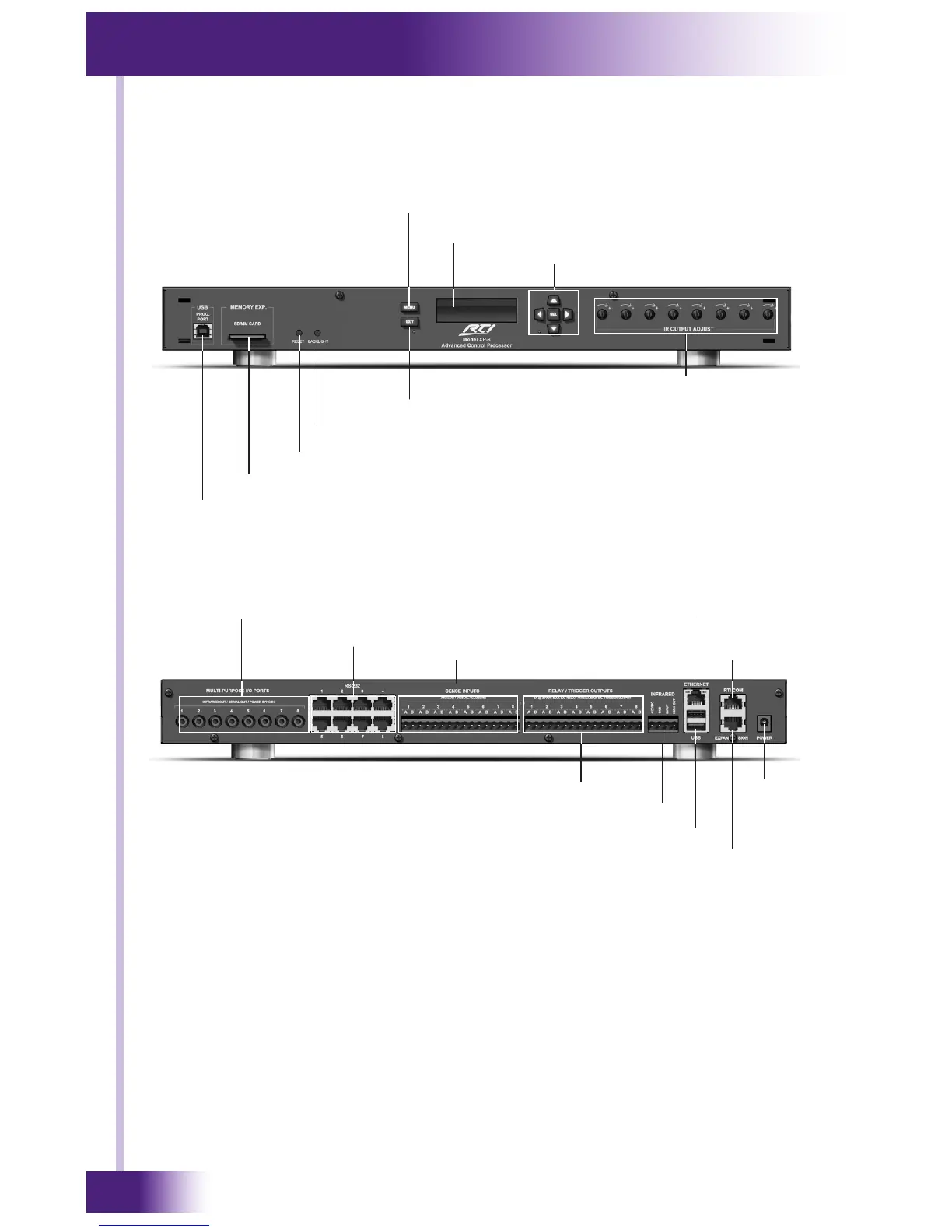
XP-8 FRONT PANEL VIEW (COVER REMOVED)
XP-8 REAR PANEL VIEW
Exit Button
IR Output Adjustment Controls (8)
USB Programming Port
SD/MM Memory Expansion Card Slot
Menu Button
Cursor Control Buttons
Backlight Button
Reset Button
Display
MPIO Ports (IR out, RS-232 and power sync in)
RS-232
Sense Inputs
Relay/Trigger Outputs
Infrared Connections
Ethernet
USB
Expansion Port
Power
CHAPTER 2 | FEATURES
RTI COM
Port
PROGRAMMING THE XP-8
The XP-8 must be programmed to operate. All programming is done using
RTI’s Integration Designer™ software and is downloaded using the USB
Programming Port located on front of XP-8 or via Ethernet.
The software allows you to create actions (e.g. commands, macros, etc.)
that are associated with events such as button presses on RTI remote
controls, timers or I/O triggers. The software transparently creates all of
the system trigger codes, and generates the correct download for every
device in the system.


 To Next Page