EasyManua.ls Logo

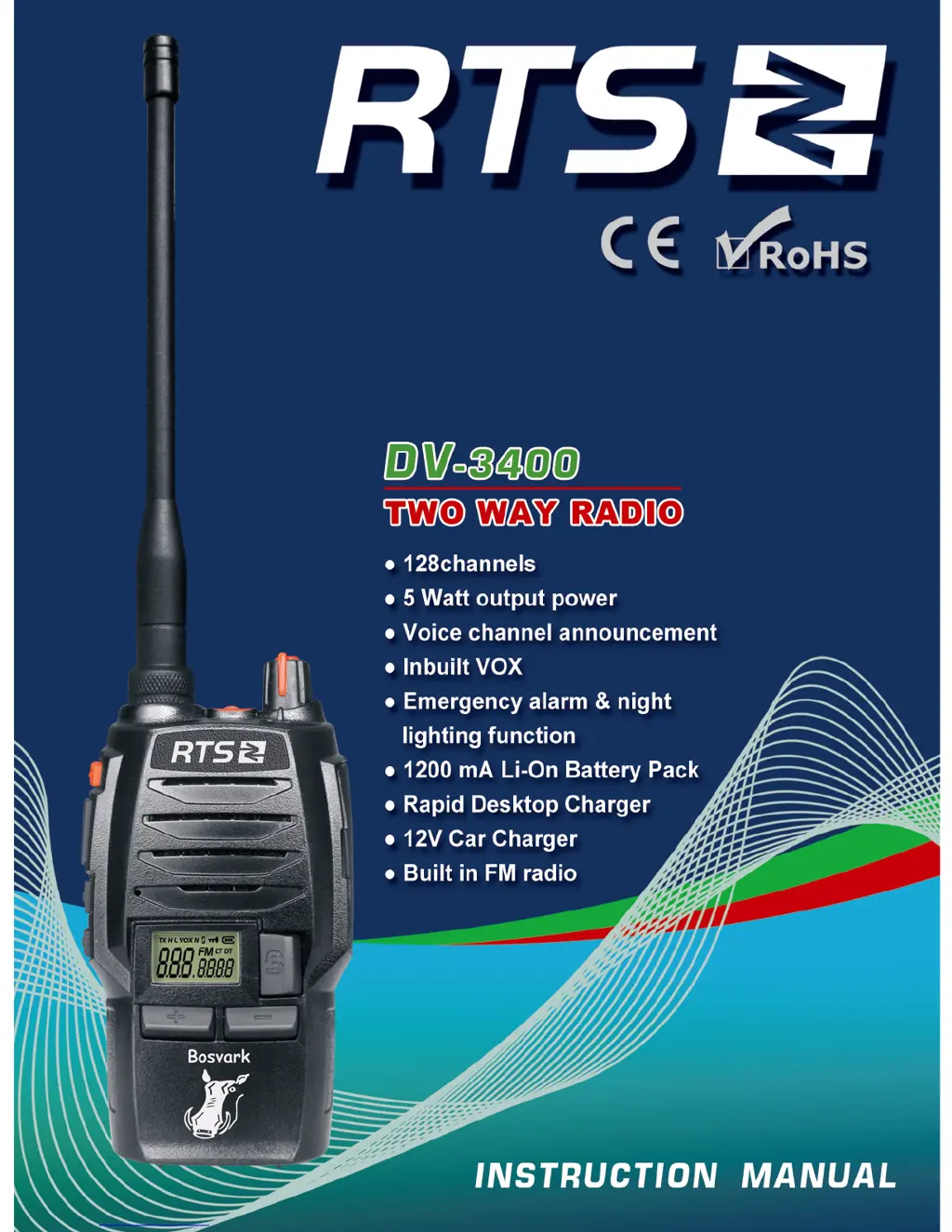
RTS DV-3400 - User Manual

RTS DV-3400
79 pages
Go to English
Print Icon
To Next Page IconTo Next Page
Loading...

Table of Contents

Questions and Answers

Summary

Charts and Graphs

CTCSS Frequency Chart

Lists CTCSS frequencies for radio channels.

DCS Chart

Lists DCS codes for radio channels.

Safety Information

Unpacking and Accessories

Supplied Accessories

Lists items included in the package.

Accessories

Standard Accessories

Details standard items.

Optional Accessories

Details optional items.

Battery Information

Charging the Battery Pack

Instructions on how to charge the battery pack.

Charger Application

Information on the correct charger to use.

Notes on Battery Handling

Important safety and usage notes for batteries.

How to Store the Battery

Guidelines for storing the battery when not in use.

Emergency Charging

Procedure for charging the transceiver in emergencies.

Preparation

Installing;Removing Battery

Steps to install and remove the battery pack.

Installing;Removing Antenna

Steps to attach and detach the antenna.

Belt Clip Installation

Instructions for attaching the belt clip.

Speaker;Microphone and Hand Strap

How to connect optional accessories.

Getting Acquainted

LCD Display Screen Overview

Explanation of icons and indicators on the LCD.

Backlight and Voice Prompts

Describes backlight status and voice prompt indicators.

Key Function Defaults

Default functions assigned to PF1 and PF2 keys.

Basic Operations

Transceiver Power and Volume Control

How to turn the transceiver on/off and adjust volume.

Jacklight and Alarm Functions

Operation of the jacklight and emergency alarm.

Channel and Frequency Adjustment

How to select channels and adjust frequencies.

Fast Frequency Adjustment

Quick methods for adjusting frequency.

Receiving and Transmitting

Procedures for receiving and transmitting signals.

Emergency Alarm and Keypad Lockout

How to use emergency alarm and keypad lock.

Functions Setup

Basic Functions Setup

General procedures for setting up functions.

CTCSS;DCS Encode;Decode

Setting up CTCSS and DCS signaling.

CTCSS;DCS Setup

Detailed setup for CTCSS/DCS.

Mode Selection

Switching between VFO and Channel modes.

FM Radio Operation

How to use the built-in FM radio.

Beep Voice Prompt Setting

Configuring audible prompts.

Squelch Level Adjustment

Setting the squelch sensitivity.

VOX Function Control

Enabling/disabling and setting VOX.

Frequency Step Setup

Configuring frequency step increments.

Advanced Operations

Programmable Key Functions

Overview of programmable key features.

Squelch Off and Monitor

Using squelch off and monitor functions.

Hi;Low Power Switch

Adjusting transmission power levels.

Scan and Frequency Reverse

Using scan and frequency reverse features.

Talk Around Function

Operating the talk around feature.

Battery Capacity and Scan List Management

Checking battery status and managing scan lists.

Background Operations

Wide;Narrow Band Setup

Setting channel bandwidth.

Busy Channel Lockout (BCL)

Preventing transmission on busy channels.

Time-out Timer (TOT)

Setting limits for continuous transmission.

TOT Pre-Alarm and Battery Save

TOT pre-alarm and battery saving features.

Priority Scan Setup

Configuring priority scanning.

Programming Software

Software Installation and Setup

Steps to install and start the programming software.

Resuming Factory Defaults

Restoring the transceiver to factory settings.

Maintenance and Cleaning

Guidelines for cleaning and maintaining the device.

Technical Specifications

General Specifications

General technical details of the transceiver.

Receiving Specifications

Technical performance metrics for receiving.

Transmitting Specifications

Technical performance metrics for transmitting.

Troubleshooting Guide

Attached Charts

CTCSS Frequency Data

Lists CTCSS frequencies for radio channels.

DCS Code Data

Lists DCS codes for radio channels.

Summary

Charts and Graphs

CTCSS Frequency Chart

Lists CTCSS frequencies for radio channels.

DCS Chart

Lists DCS codes for radio channels.

Safety Information

Unpacking and Accessories

Supplied Accessories

Lists items included in the package.

Accessories

Standard Accessories

Details standard items.

Optional Accessories

Details optional items.

Battery Information

Charging the Battery Pack

Instructions on how to charge the battery pack.

Charger Application

Information on the correct charger to use.

Notes on Battery Handling

Important safety and usage notes for batteries.

How to Store the Battery

Guidelines for storing the battery when not in use.

Emergency Charging

Procedure for charging the transceiver in emergencies.

Preparation

Installing;Removing Battery

Steps to install and remove the battery pack.

Installing;Removing Antenna

Steps to attach and detach the antenna.

Belt Clip Installation

Instructions for attaching the belt clip.

Speaker;Microphone and Hand Strap

How to connect optional accessories.

Getting Acquainted

LCD Display Screen Overview

Explanation of icons and indicators on the LCD.

Backlight and Voice Prompts

Describes backlight status and voice prompt indicators.

Key Function Defaults

Default functions assigned to PF1 and PF2 keys.

Basic Operations

Transceiver Power and Volume Control

How to turn the transceiver on/off and adjust volume.

Jacklight and Alarm Functions

Operation of the jacklight and emergency alarm.

Channel and Frequency Adjustment

How to select channels and adjust frequencies.

Fast Frequency Adjustment

Quick methods for adjusting frequency.

Receiving and Transmitting

Procedures for receiving and transmitting signals.

Emergency Alarm and Keypad Lockout

How to use emergency alarm and keypad lock.

Functions Setup

Basic Functions Setup

General procedures for setting up functions.

CTCSS;DCS Encode;Decode

Setting up CTCSS and DCS signaling.

CTCSS;DCS Setup

Detailed setup for CTCSS/DCS.

Mode Selection

Switching between VFO and Channel modes.

FM Radio Operation

How to use the built-in FM radio.

Beep Voice Prompt Setting

Configuring audible prompts.

Squelch Level Adjustment

Setting the squelch sensitivity.

VOX Function Control

Enabling/disabling and setting VOX.

Frequency Step Setup

Configuring frequency step increments.

Advanced Operations

Programmable Key Functions

Overview of programmable key features.

Squelch Off and Monitor

Using squelch off and monitor functions.

Hi;Low Power Switch

Adjusting transmission power levels.

Scan and Frequency Reverse

Using scan and frequency reverse features.

Talk Around Function

Operating the talk around feature.

Battery Capacity and Scan List Management

Checking battery status and managing scan lists.

Background Operations

Wide;Narrow Band Setup

Setting channel bandwidth.

Busy Channel Lockout (BCL)

Preventing transmission on busy channels.

Time-out Timer (TOT)

Setting limits for continuous transmission.

TOT Pre-Alarm and Battery Save

TOT pre-alarm and battery saving features.

Priority Scan Setup

Configuring priority scanning.

Programming Software

Software Installation and Setup

Steps to install and start the programming software.

Resuming Factory Defaults

Restoring the transceiver to factory settings.

Maintenance and Cleaning

Guidelines for cleaning and maintaining the device.

Technical Specifications

General Specifications

General technical details of the transceiver.

Receiving Specifications

Technical performance metrics for receiving.

Transmitting Specifications

Technical performance metrics for transmitting.

Troubleshooting Guide

Attached Charts

CTCSS Frequency Data

Lists CTCSS frequencies for radio channels.

DCS Code Data

Lists DCS codes for radio channels.

RTS DV-3400 Specifications

General IconGeneral
Frequency Range400-470 MHz
Channels16
RF Output Power5W
Weight220g (with battery)
Operating Voltage7.4V
BatteryLi-ion
Dimensions35 mm