6
PREPARATION
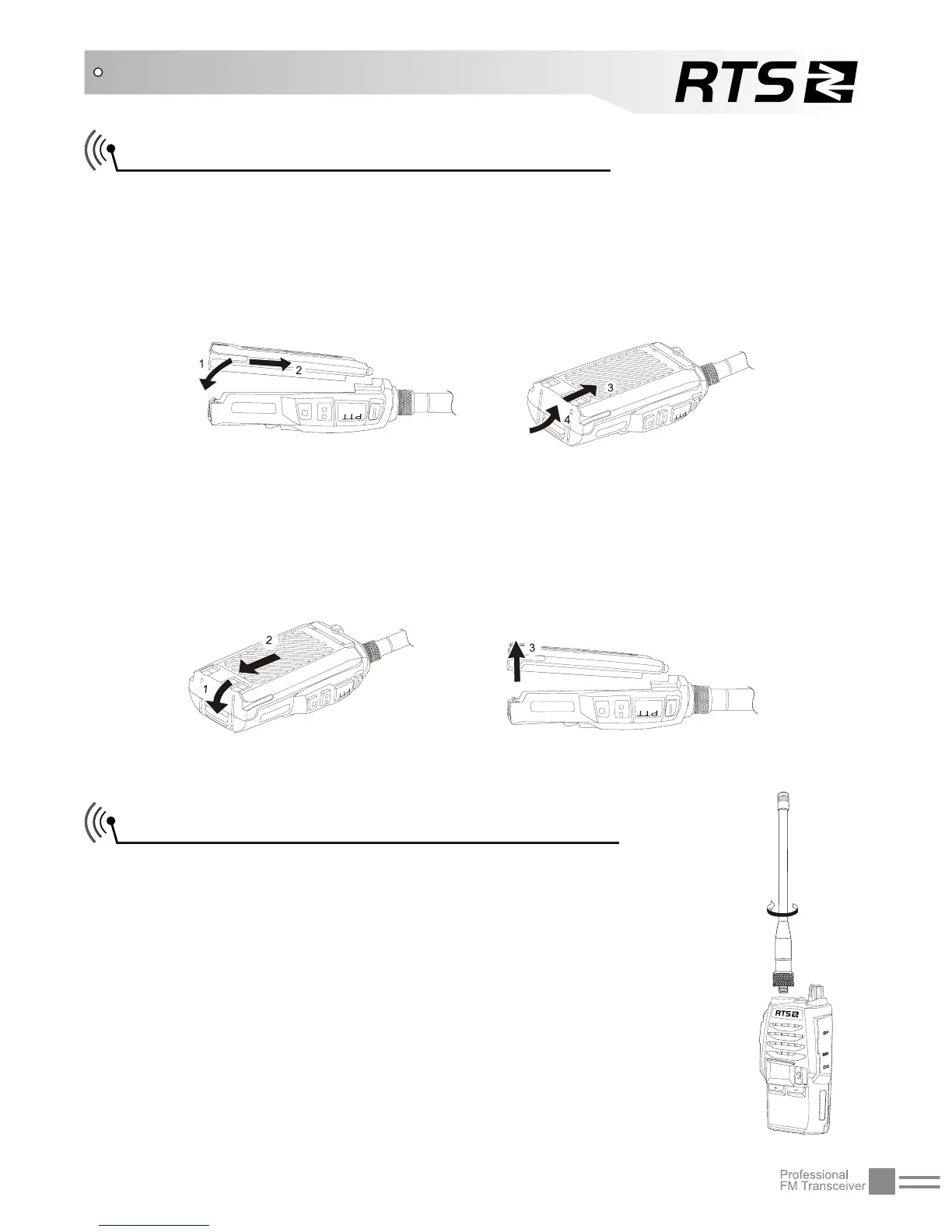
Installing / Removing the Battery
■Installing the battery:
Match the battery pack with the corresponding guides on the back
of the transceiver, and push it upwards untill it is fully locked by the
battery latch.
■Removing the battery pack:
Slide up the battery latch and remove the pack away from the
transceiver.
Installing / Removing the Antenna
■Installing the Antenna:
Screw the antenna into the connector on the top
of the transceiver by holding the antenna at its
base and turning it clockwise until secure.
■Removing the Antenna:
Turn the antenna anticlockwise to remove it.


 To Next Page