8
Introducing the 7025 Multimedia Wi-Fi Wall Switch
Getting to Know the ZoneFlex 7025 Features
LEDs
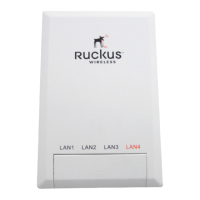
The LEDs for both the US and EU models are the same. Refer to Tabl e 7 for descriptions
of LEDs and their behaviors. The LEDs are not visible once the AP is installed.
Table 7. ZF7025 LEDs
LED Meaning
WLAN Green: WLAN service is available.
Off: No WLAN service available.
OPT Not used in this model.
DIR Green: AP is being managed by ZoneDirector.
Off: AP is not being managed by ZoneDirector.
Power Green: On
Red: Bootup in process
Off: Off
LAN5/Uplink Green: Link up.
Flashing green: Activity.
Off: Link down.
LAN1 - LAN4 Green: Link up.
Flashing green: Activity.
Off: Link down.


 To Next Page