i
About This Guide
Document Conventions . . . . . . . . . . . . . . . . . . . . . . . . . . . . . . . . . . . . . . . . . . . . . . . . . i
Related Documentation . . . . . . . . . . . . . . . . . . . . . . . . . . . . . . . . . . . . . . . . . . . . . . . . .ii
Documentation Feedback . . . . . . . . . . . . . . . . . . . . . . . . . . . . . . . . . . . . . . . . . . . . . . .ii
1
Introducing the 7025 Multimedia Wi-Fi Wall Switch
Overview of the 7025 Multimedia Wi-Fi Wall Switch . . . . . . . . . . . . . . . . . . . . . . . . . .2
Unpacking the ZoneFlex 7025. . . . . . . . . . . . . . . . . . . . . . . . . . . . . . . . . . . . . . . . . . . . .3
Package Contents . . . . . . . . . . . . . . . . . . . . . . . . . . . . . . . . . . . . . . . . . . . . . . . . . . . 3
Getting to Know the ZoneFlex 7025 Features. . . . . . . . . . . . . . . . . . . . . . . . . . . . . . . .3
ZF7025-US Model . . . . . . . . . . . . . . . . . . . . . . . . . . . . . . . . . . . . . . . . . . . . . . . . . . . . 3
ZF7025-EU Model . . . . . . . . . . . . . . . . . . . . . . . . . . . . . . . . . . . . . . . . . . . . . . . . . . . . 6
LEDs . . . . . . . . . . . . . . . . . . . . . . . . . . . . . . . . . . . . . . . . . . . . . . . . . . . . . . . . . . . . . . 8
Reset Buttons . . . . . . . . . . . . . . . . . . . . . . . . . . . . . . . . . . . . . . . . . . . . . . . . . . . . . . . 9
2
Installing the Multimedia Wi-Fi Wall Switch
Installing the ZF7025 . . . . . . . . . . . . . . . . . . . . . . . . . . . . . . . . . . . . . . . . . . . . . . . . . . .12
Step 1: Prepare the Administrative Computer . . . . . . . . . . . . . . . . . . . . . . . . . . . 12
Step 2: Connect the Device to a Power Source and the Admin Computer . . . . 13
Step 3: Log In to the Device . . . . . . . . . . . . . . . . . . . . . . . . . . . . . . . . . . . . . . . . . . 14
Step 4: Configure the Wireless Settings . . . . . . . . . . . . . . . . . . . . . . . . . . . . . . . . 15
Step 5: Verify That the Wireless LAN is Operational . . . . . . . . . . . . . . . . . . . . . . . 17
Physical Installation . . . . . . . . . . . . . . . . . . . . . . . . . . . . . . . . . . . . . . . . . . . . . . . . . . . .18
Mount the ZoneFlex 7025 to the Outlet Box . . . . . . . . . . . . . . . . . . . . . . . . . . . . . 18
Using the 110 Punch down Block . . . . . . . . . . . . . . . . . . . . . . . . . . . . . . . . . . . . . . 19
3
Navigating the Web Interface
Logging Into the Web Interface . . . . . . . . . . . . . . . . . . . . . . . . . . . . . . . . . . . . . . . . . .22
Navigating the Web Interface. . . . . . . . . . . . . . . . . . . . . . . . . . . . . . . . . . . . . . . . . . . .23
Contents

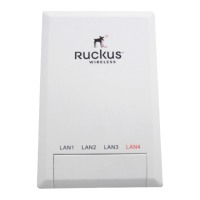
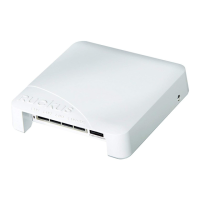


 To Next Page