12
Installing the Multimedia Wi-Fi Wall Switch
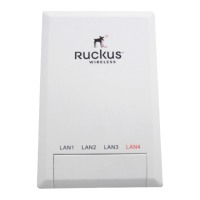
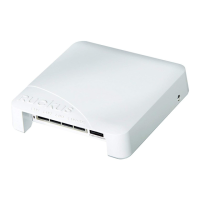
Installing the ZF7025
Installing the ZF7025
Before starting with the installation, make sure that you have the following items that
are required for the installation ready:
■ A computer with a Web browser
■ Two CAT5 Ethernet cables
■ An IEEE 802.3af/at-compliant PoE switch or PoE injector and power adapter
Step 1: Prepare the Administrative Computer
The administrative computer is the computer that you will be using to access the
device’s Web interface.
NOTE: These procedures assume that the admin computer is running Windows XP
or Windows 7 operating system. Procedures for other operating systems are similar.
1. Power on your computer.
2. Go to the network connection settings.
• On Windows XP, click Start > Settings > Control Panel > Network
Connections.
• On Windows 7, click Open Network and Sharing Center > Change
Adapter Settings
3. Double-click the icon for Local Area Connection.
4. In the Local Area Connection Properties window,
• On Windows XP, select Internet Protocol (TCP/IP), and then click Properties.
• On Windows 7, click Internet Protocol Version 4 (TCP/IPv4), then click
Properties.
5. Write down all of the currently active network settings. You will need this informa-
tion later when you restore your computer to its current network configuration.
6. Select Use the following IP address, and then configure the IP address settings
with the values listed in Table 8
. For a sample configuration, refer to Figure 19.
7. Click OK to exit the Local Area Connection Properties window.
Table 8. Configure your computer’s IP address
IP address 192.168.0.22 (or any address in the
192.168.0.xx range, with the exception of
192.168.0.1, which is the default IP address of
the AP).
Subnet mask 255.255.255.0
Default gateway 192.168.0.1
Preferred DNS server 192.168.0.1



 To Next Page