28
Configuring the Multimedia Wi-Fi Wall Switch
Configuring Internet Settings
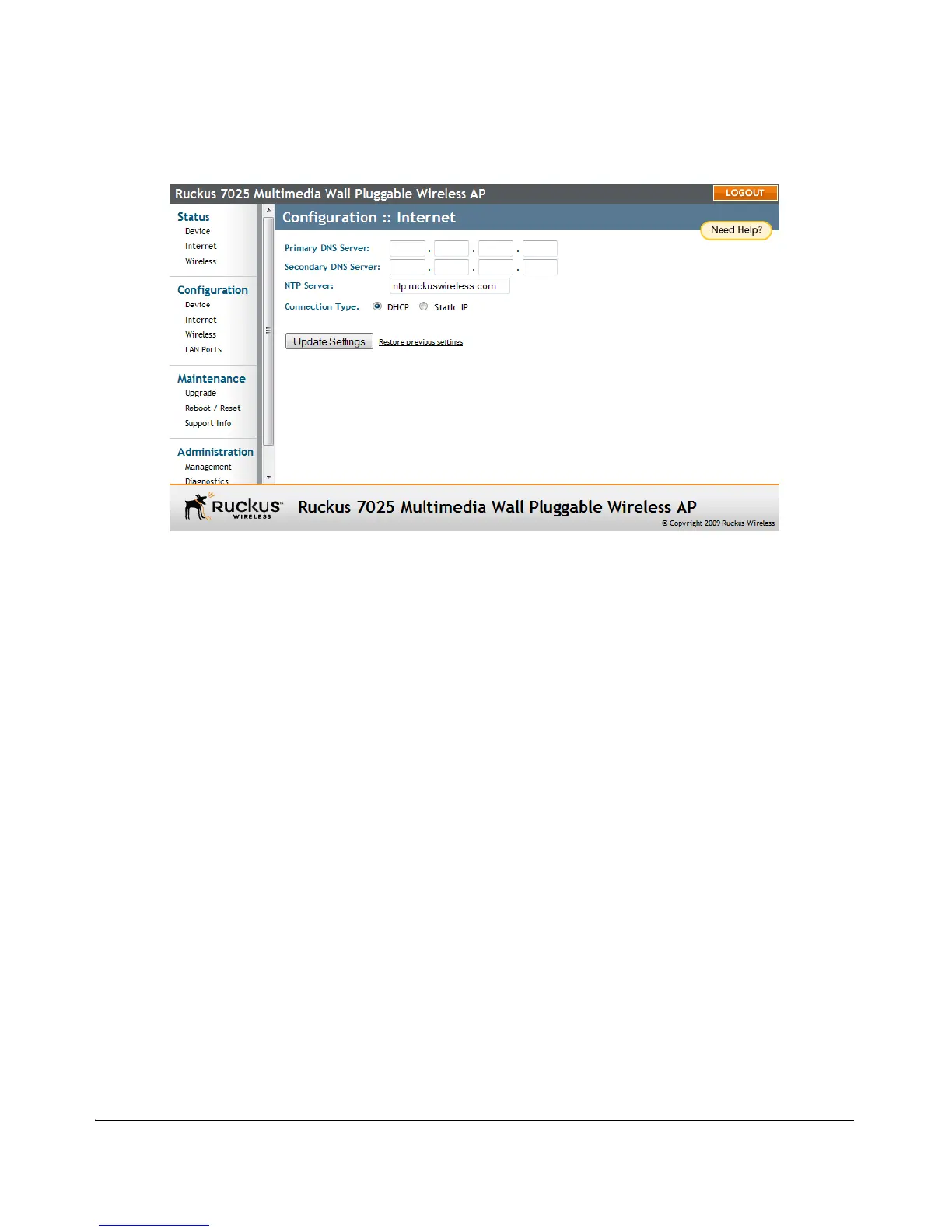
Figure 17. The Configuration :: Internet page
To assign a static IP address to the AP
1. Go to Configuration > Internet. The Internet page appears.
2. Verify that Connection Type is set to Static IP.
3. When the Static IP options appear, you can changes to the following settings:
• Gateway: This is the gateway IP address of the Internet interface.
• Primary DNS Server: The IP address of the primary Domain Name System
(DNS) server.
• Secondary DNS Server: The IP address of the secondary Domain Name
System (DNS) server.
• NTP Server: Hostname of the Network Time Protocol (NTP) server.
4. Click Update Settings to save your changes.


 To Next Page
 Loading...