Reversing Root Bridge and Non-Root Bridge Roles
Configuring Wireless QoS
ZoneFlex P300 Wireless Bridge User Guide, 800-70956-001 Rev B 52
Reversing Root Bridge and Non-Root Bridge
Roles
You can manually change the role of a non-root bridge to a root bridge, and vice
versa. This procedure requires that you directly log into both units using an admin
computer, as changing the role of either ZoneFlex P300 disrupts the wireless link.
NOTE When you are changing the role over the air, you need to configure the
remote ZoneFlex P300s first followed by the local ZoneFlex P300 to avoid loss of
connectivity.
1 Configure the admin computer, connect it to the ZoneFlex P300, and log into
the ZoneFlex P300 Web GUI as described in Logging Into the ZoneFlex P300
Web Interface.
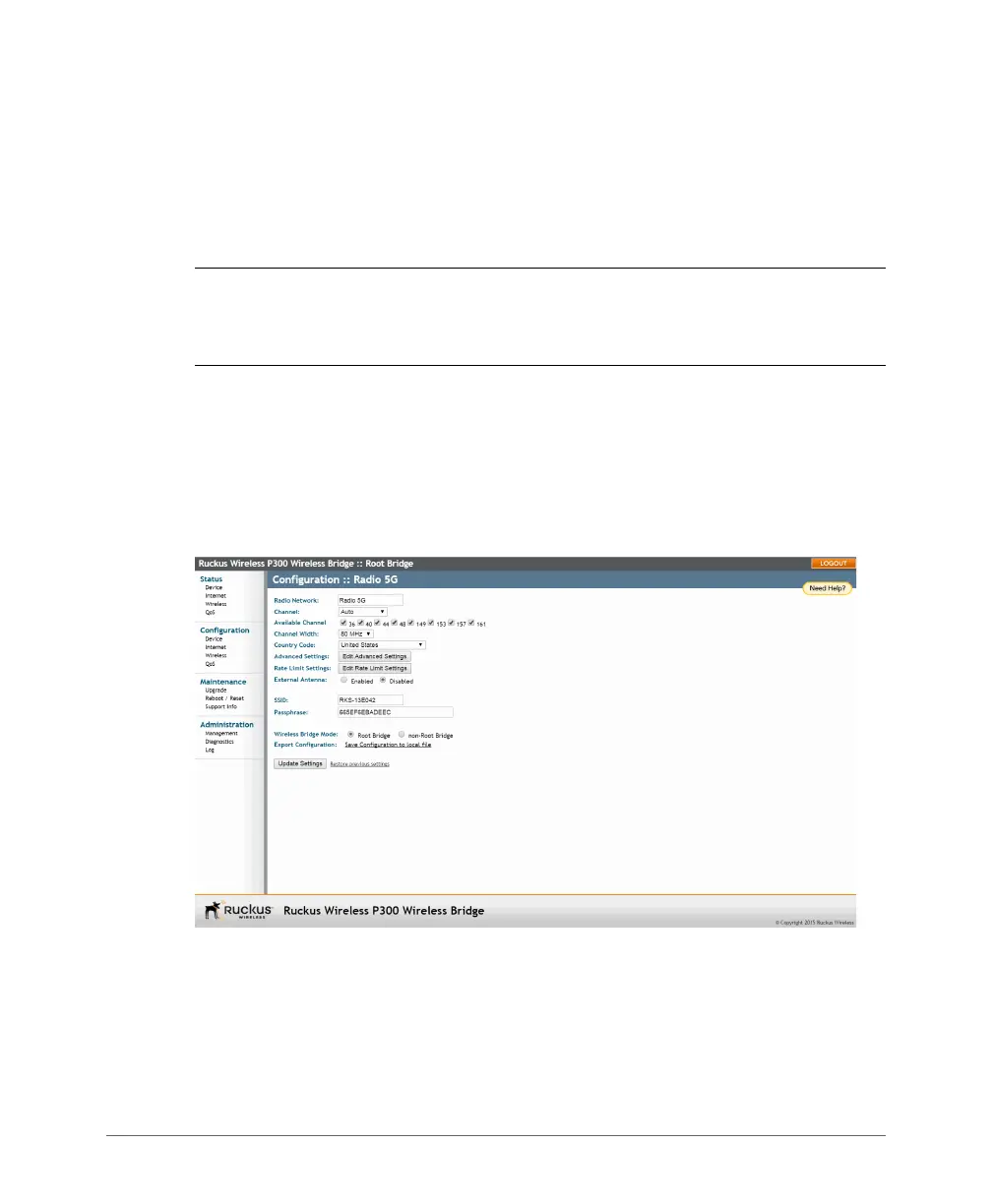
2 Navigate to Configuration > Wireless. The ZoneFlex P300 Web GUI displays
the Configuration > Radio 5G page (Figure 23).
Figure 23. Changing the role from root bridge to non-root bridge
3 In the Wireless Bridge Mode parameter, select Root Bridge or non-Root
Bridge.
4 A warning message appears, indicating that a reboot is required. Click OK.
5 Click Update Settings. The ZoneFlex P300 puts the setting changes into effect
immediately, and begins a reboot.



 To Next Page