10 QUICK START
5_FIRST STEPS
5.1_BATTERY
The battery in this phone is not removable by the user.
The battery is not fully charged when the phone is purchased,
but it contains enough energy to power on the phone. To obtain
best battery performance and battery life, let the battery
discharge completely before charging it completely for the
rst three charging cycles.
NOTE
Because this phone has built-in battery, if the phone has
a fault and cannot be turned o , you can long press the reset
button for 14 seconds to reset. This will restart the phone.
Abnormal operation of this button may result in loss of some
unsaved data, please use the reset key with great caution!
5.1.1_CHARGING THE BATTERY
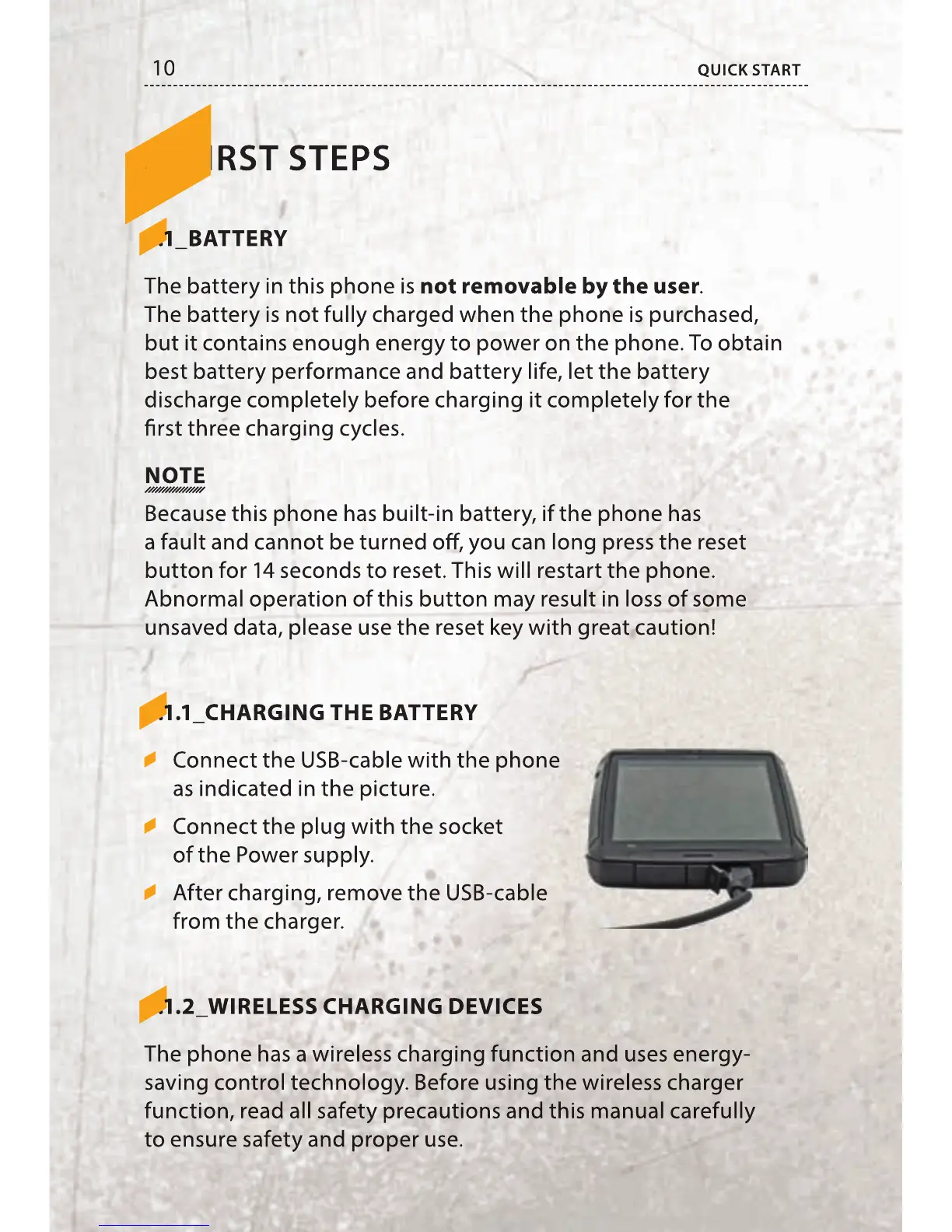
Connect the USB-cable with the phone
as indicated in the picture.
Connect the plug with the socket
of the Power supply.
After charging, remove the USB-cable
from the charger.
5.1.2_WIRELESS CHARGING DEVICES
The phone has a wireless charging function and uses energy-
saving control technology. Before using the wireless charger
function, read all safety precautions and this manual carefully
to ensure safety and proper use.
The battery in this phone is
not removable by the user
The battery is not fully charged when the phone is purchased,
but it contains enough energy to power on the phone. To obtain
best battery performance and battery life, let the battery
discharge completely before charging it completely for the
rst three charging cycles.
Because this phone has built-in battery, if the phone has
a fault and cannot be turned o , you can long press the reset
button for 14 seconds to reset. This will restart the phone.
Abnormal operation of this button may result in loss of some
unsaved data, please use the reset key with great caution!
5.1.1_CHARGING THE BATTERY
5.1.1_CHARGING THE BATTERY
Connect the USB-cable with the phone
as indicated in the picture.
Connect the plug with the socket
After charging, remove the USB-cable
5.1.2_WIRELESS CHARGING DEVICES
5.1.2_WIRELESS CHARGING DEVICES
The phone has a wireless charging function and uses energy-
saving control technology. Before using the wireless charger
function, read all safety precautions and this manual carefully
to ensure safety and proper use.



 To Next Page