EasyManua.ls Logo

RugGear RG730 - Status Bar

RugGear RG730
56 pages
Print Icon
To Next Page IconTo Next Page
To Previous Page IconTo Previous Page
Loading...
17
EN
DISPLAY LAYOUT
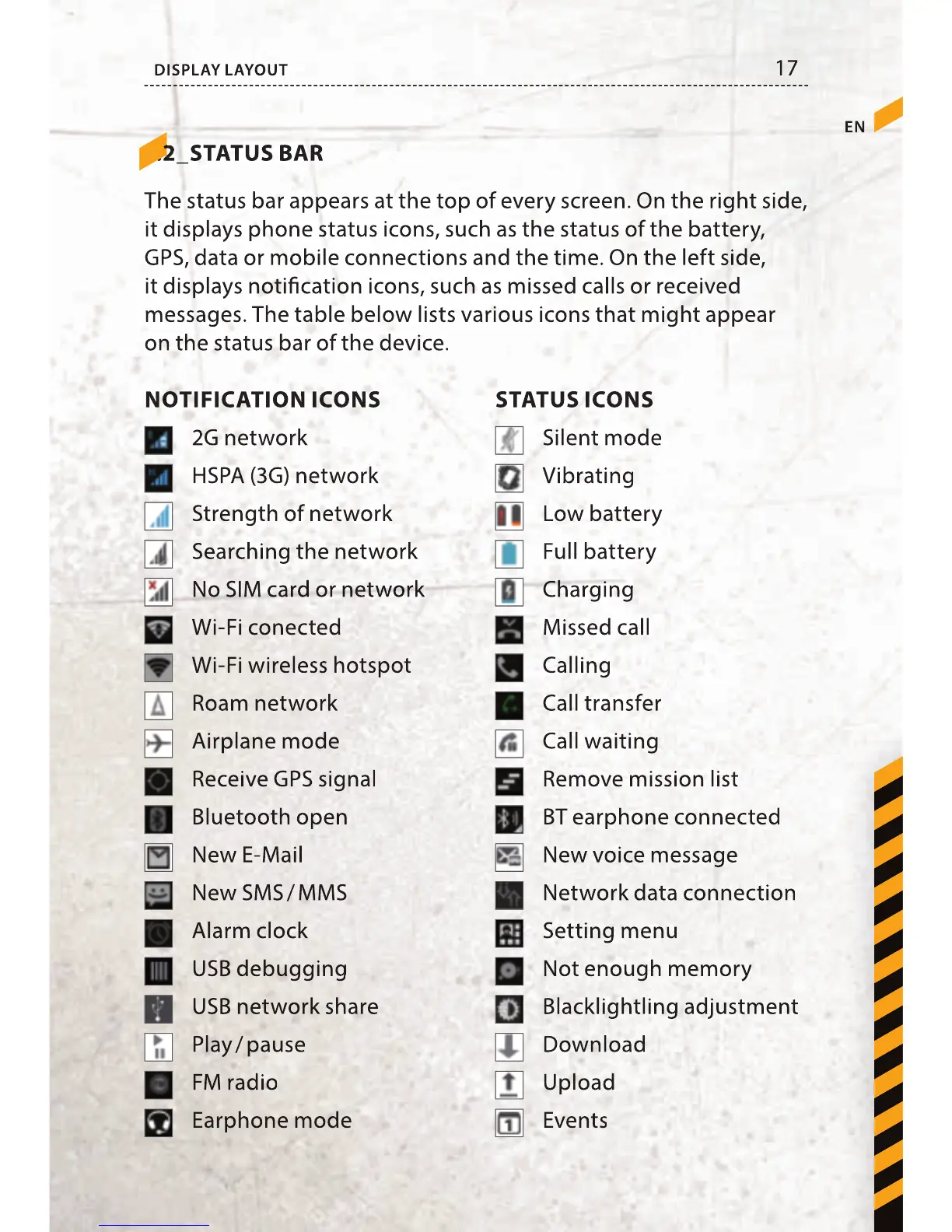
7.2_STATUS BAR
The status bar appears at the top of every screen. On the right side,
it displays phone status icons, such as the status of the battery,
GPS, data or mobile connections and the time. On the left side,
it displays noti cation icons, such as missed calls or received
messages. The table below lists various icons that might appear
on the status bar of the device.
2G network
HSPA (3G) network
Strength of network
Searching the network
No SIM card or network
Wi-Fi conected
Wi-Fi wireless hotspot
Roam network
Airplane mode
Receive GPS signal
Bluetooth open
New E-Mail
New SMS / MMS
Alarm clock
USB debugging
USB network share
Play / pause
FM radio
Earphone mode
Silent mode
Vibrating
Low battery
Full battery
Charging
Missed call
Calling
Call transfer
Call waiting
Remove mission list
BT earphone connected
New voice message
Network data connection
Setting menu
Not enough memory
Blacklightling adjustment
Download
Upload
Events
STATUS ICONSNOTIFICATION ICONS

17
EN
DISPLAY LAYOUT
7.2_STATUS BAR
7.2_STATUS BAR
The status bar appears at the top of every screen. On the right side,
it displays phone status icons, such as the status of the battery,
GPS, data or mobile connections and the time. On the left side,
it displays noti cation icons, such as missed calls or received
messages. The table below lists various icons that might appear
on the status bar of the device.
2G network
HSPA (3G) network
Strength of network
Searching the network
No SIM card or network
Wi-Fi conected
Wi-Fi wireless hotspot
Roam network
Airplane mode
Receive GPS signal
Bluetooth open
New E-Mail
New SMS / MMS
Alarm clock
USB debugging
USB network share
Play / pause
FM radio
Earphone mode
Silent mode
Vibrating
Low battery
Full battery
Charging
Missed call
Calling
Call transfer
Call waiting
Remove mission list
BT earphone connected
New voice message
Network data connection
Setting menu
Not enough memory
Blacklightling adjustment
Download
Upload
Events
STATUS ICONS
NOTIFICATION ICONS

Table of Contents

Related product manuals