12 QUICK START
5.2_OPENING THE CARD COMPARTMENT
Unscrew the two screws at the back by turning them counter
until the back cover opens.
5.3_INSTALLATION OF THE SIM CARDS
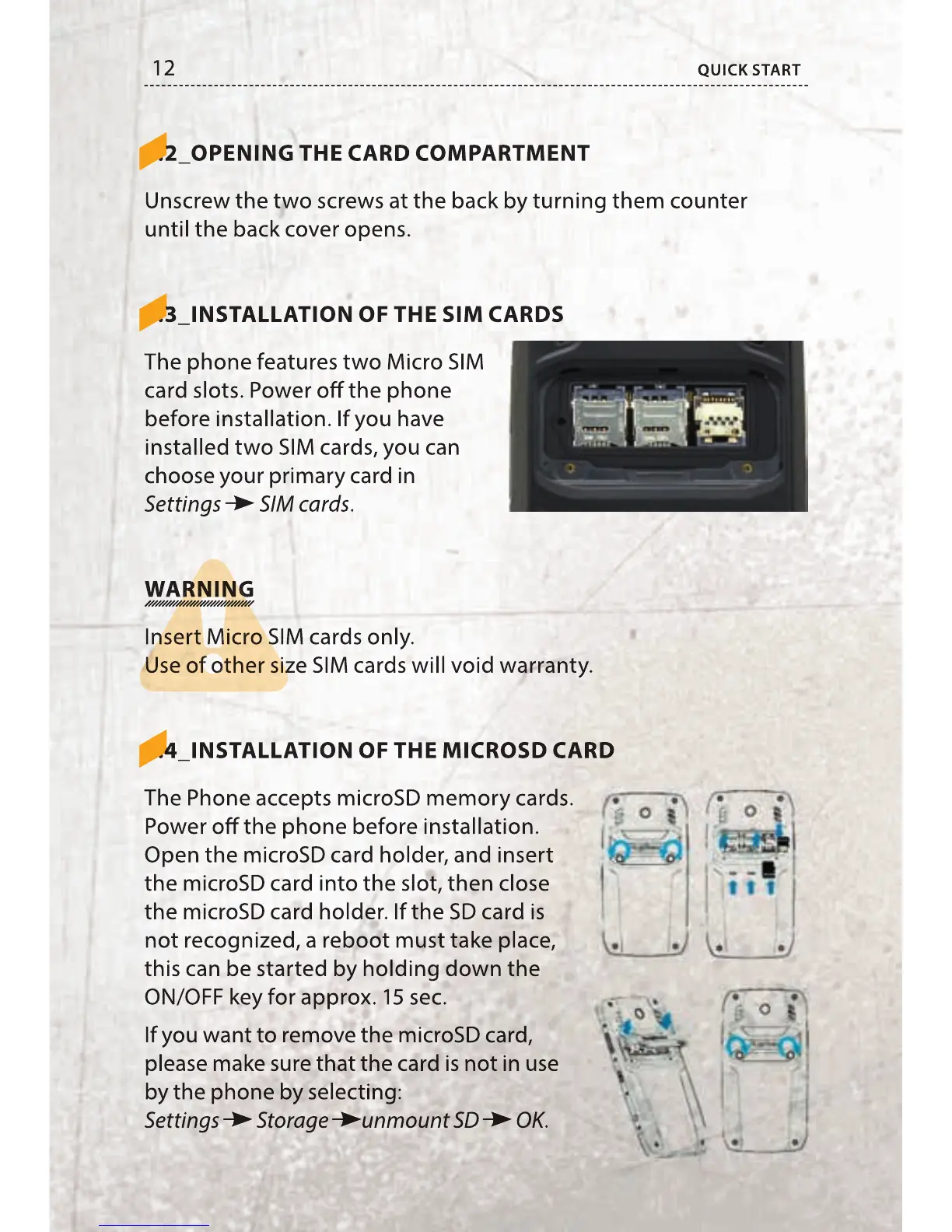
The phone features two Micro SIM
card slots. Power o the phone
before installation. If you have
installed two SIM cards, you can
choose your primary card in
Settings
SIM cards.
WARNING
Insert Micro SIM cards only.
Use of other size SIM cards will void warranty.
5.4_ INSTALLATION OF THE MICROSD CARD
The Phone accepts microSD memory cards.
Power o the phone before installation.
Open the microSD card holder, and insert
the microSD card into the slot, then close
the microSD card holder. If the SD card is
not recognized, a reboot must take place,
this can be started by holding down the
ON/OFF key for approx. 15 sec.
If you want to remove the microSD card,
please make sure that the card is not in use
by the phone by selecting:
Settings
Storage unmount SD OK.
5.2_OPENING THE CARD COMPARTMENT
5.2_OPENING THE CARD COMPARTMENT
Unscrew the two screws at the back by turning them counter
until the back cover opens.
5.3_INSTALLATION OF THE SIM CARDS
5.3_INSTALLATION OF THE SIM CARDS
The phone features two Micro SIM
card slots. Power o the phone
before installation. If you have
installed two SIM cards, you can
choose your primary card in
Insert Micro SIM cards only.
Insert Micro SIM cards only.
Insert Micro SIM cards only.
Use of other size SIM cards will void warranty.
Use of other size SIM cards will void warranty.
Use of other size SIM cards will void warranty.
5.4_ INSTALLATION OF THE MICROSD CARD
5.4_ INSTALLATION OF THE MICROSD CARD
The Phone accepts microSD memory cards.
Power o the phone before installation.
Open the microSD card holder, and insert
the microSD card into the slot, then close
the microSD card holder. If the SD card is
not recognized, a reboot must take place,
this can be started by holding down the
ON/OFF key for approx. 15 sec.
If you want to remove the microSD card,
please make sure that the card is not in use
by the phone by selecting:



 To Next Page