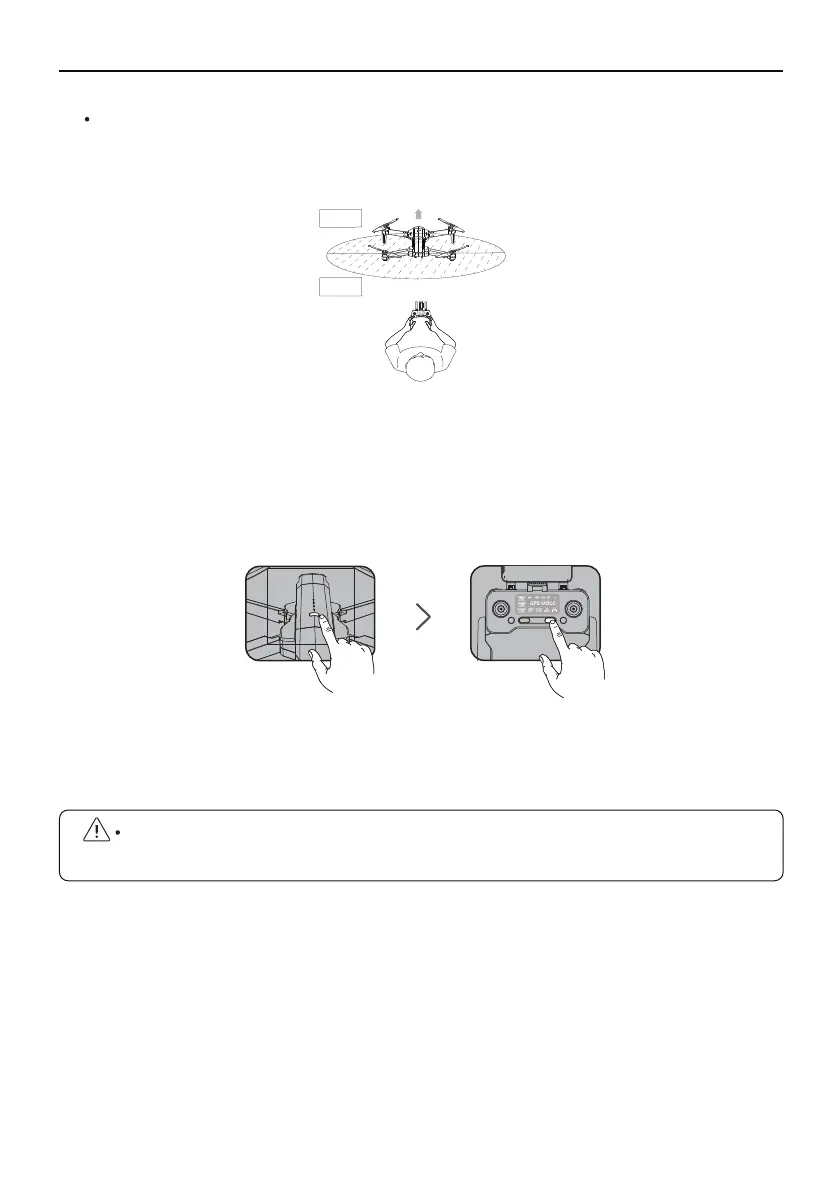
Long press the power button of Aircraft, the motor light will be on and you will hear
a beeping sound, indicating that the Aircraft has been turned on;
Short press the Transmitter power button once to turn on the Transmitter switch;
Aircraft and Transmitter connects successfully, all lights flashing white and blue then
turn to flashing white and pink.
F11GIM User Manual
Copyright ©2021 Ruko All Rights Reserved.32
Match the Aircraft with the transmitter and mobile phone
Take off the gimbal cover and unfold the four arms of the Aircraft , then place them
on an open level ground with the nose facing forward and the tail facing the pilot.
①
②
④
An open space with a diameter of 32 ft and no interferences.
d>32ft
Front
Back
Please make sure turn on the Aircraft firstly and then the transmitter. Otherwise, they
will not pair successfully.
③



 To Next Page