U11PRO Safety Disclaimer
Copyright ©2023 Ruko All Rights Reserved.
8
4.1 Pre-Flight Checklist Guidelines
Make sure the aircraft batteries, remote controller, and mobile device are
fully charged.
Make sure the Intelligent Flight Battery is securely mounted.
Make sure all arms of the aircraft are unfolded before flying.
Make sure to remove the camera protector before powering on the aircraft.
Make sure there is nothing obstructing the motors.
Make sure the camera lens and sensors are clean and free of stains.
Make sure all the propellers are unfolded and in good condition.
Make sure to complete the pre-flight checklist before flying.
Be familiar with the selected flight mode and understand all safety
functions and warnings.
4 Flight Operate Guidelines
4.2 Operation Safety Guidelines
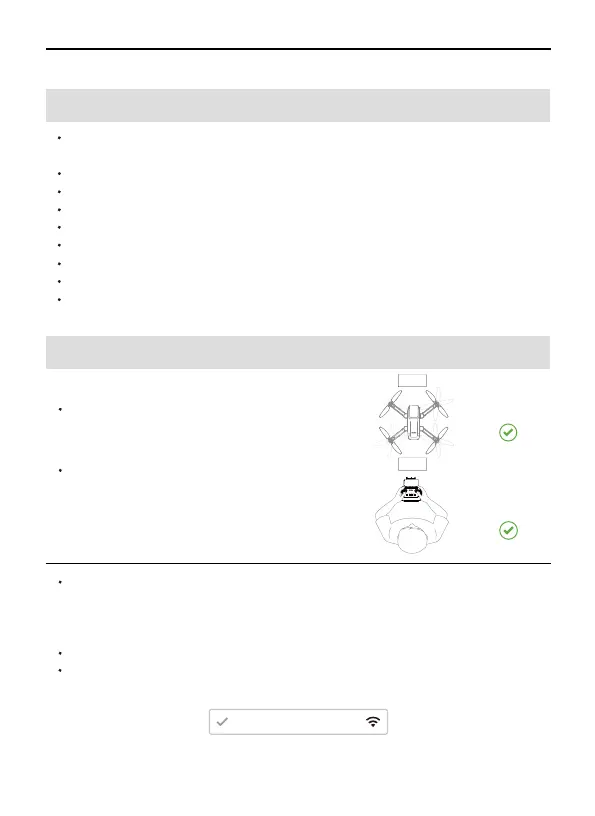
Unfold arms
Front
Back
Before each flight, need to manually
unfold the arms of the drone and then
turn on the power.
DO NOT answer incoming calls, text
messages, or do anything that may
distract you from operating the mobile
device to control the aircraft during flight.
RUKO-U11PRO-******
Make sure you are not under the influence of alcohol, drugs, or
anesthesia, or suffering from dizziness, fatigue, nausea, or any other
conditions, whether physical or mental, that could impair your ability
to operate the aircraft safely.
It is important to set an appropriate RTH altitude before each flight.
Make sure your phone has permission to access the Wi-Fi
"RUKO-U11PRO-******" and connect successfully.
Stay away
from People



 To Next Page