U11PRO User Manual
45
Copyright ©2023 Ruko All Rights Reserved.
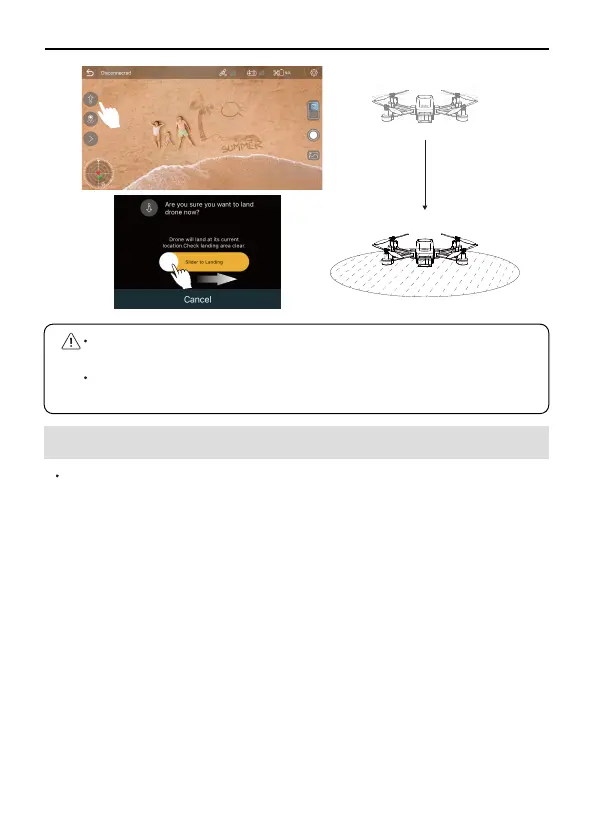
Please choose a flat ground to land. Avoid causing damage to the
drone.
Push the Transmitter throttle lever forwards can stop the automatic
landing in the process of drone landing.
Drone Flight Steps
Place the Aircraft on a flat and open ground with the nose facing
forward and the tail facing the pilot.
Power on the Aircraft.
Turn on the power of transmitter.
6.6 Basic Flight
③
①
②
Connect the mobile phone to Aircraf's WiFi "RUKO-U11PRO-******".
Open the Ruko Fly App, and enter the camera interface.
After GPS search successfully, the status of rear indicator is
always green , and the motor is started.
Slowly push the throttle stick upward to let the Aircraft take off
smoothly.
Pull down the throtte stick to lower the Aircraft.
After landing, pull the throttle stick to the lowest position and
hold it until the motor stops.
Turn off the power of Aircraft and Transmitter in turn after
shutdown.
⑤
⑥
⑦
④
⑧
⑨



 To Next Page