U11PRO User Manual
Copyright ©2023 Ruko All Rights Reserved.
37
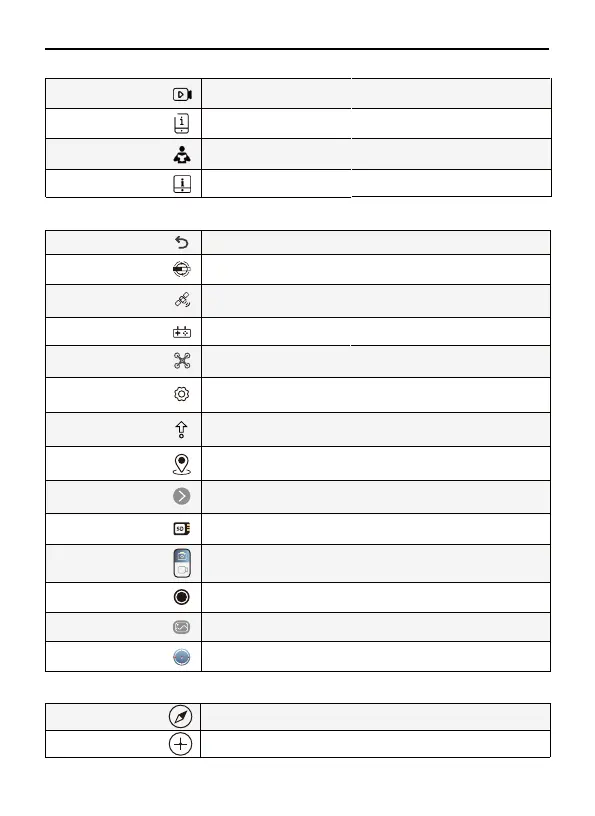
Watch video of Unboxing, Preflight, First Flight for U11PRO droneVideo Guide
Read the Quick Guide & Safety Disclaimer to fly more easily and safely.
Quick Guide & Safety
Disclaimer
Read the App Guide to operate more smoothly.
APP Guide
Read the electronic version of User Manual to learn more.
User Manual
Instruction
Calibrate
Compass Calibrate
Acc Calibrate Tap "Calibrate" to Acc Calibrate
Tap "Calibrate" to Compass Calibrate
Transmitter Signal Display
Drone power
System Settings
SD Card
GPS signal bar
Compass disturbance
value
Auto Takeoff/Landing
RTH
Function button
Map Compass
Shooting Mode
Shutter
Image & Video Gallery
Tap to return to the home screen
Used to display the remote signal strength
Display the drone's battery level
Display the SD card(not included), click to format the SD card
Click to enter function pages
Four grid signals in the GPS signal bar means that the drone can be used
normally
Once over 200, recommended to change the flight environment
Click to expand the control panel, long press to make the Aircraft take off
or land
Tap to initiate Smart RTH and have the aircraft return to the last recorded
Home Point and turn off the motors
Choose to take a picture or record a video
Tap to start/stop shooting photos or recording video
View pictures and videos recorded by drone
Tap the Map to switch between Camera View and Map View
ystem settings include flight range settings, data recording, English and metric
unit switching, route display, reminder information and voice prompt settings
Control
Back
N
S
M E
N
S



 To Next Page