24
6.2.1 Configuration Menu
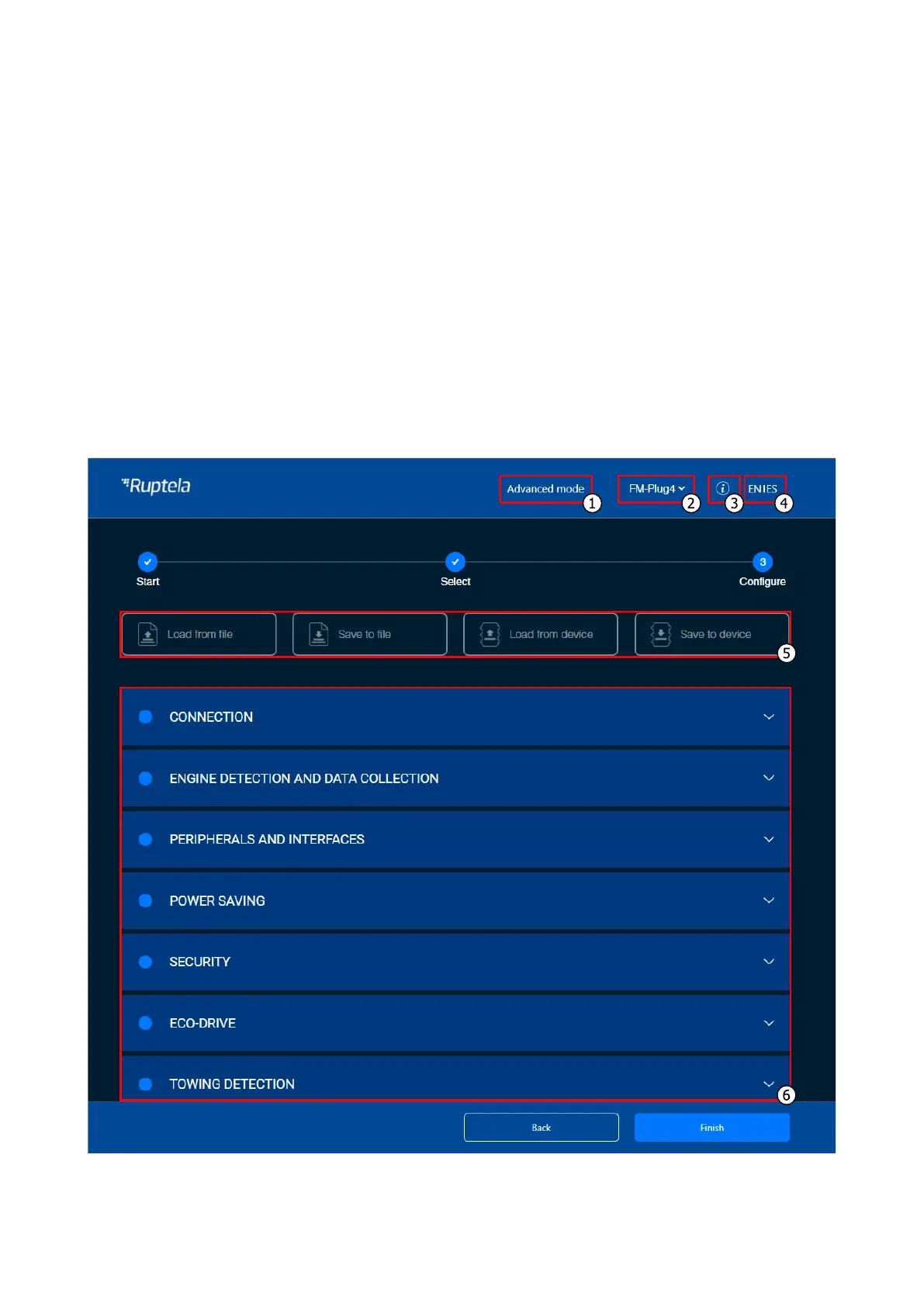
After device selection, you will be directed to the configuration menu. This menu has the following
elements:
1. An Advanced mode button – opens the advanced configurator
2. Device info – displays information about the connected device
3. An information icon – opens the Device Center user manual
4. Language switcher – switches the language to English/Spanish (restart required)
5. A configuration load/save button bar – used to load/save configuration files
6. Device settings, grouped by functionalities


 To Next Page