31
6.5 Advanced Configuration
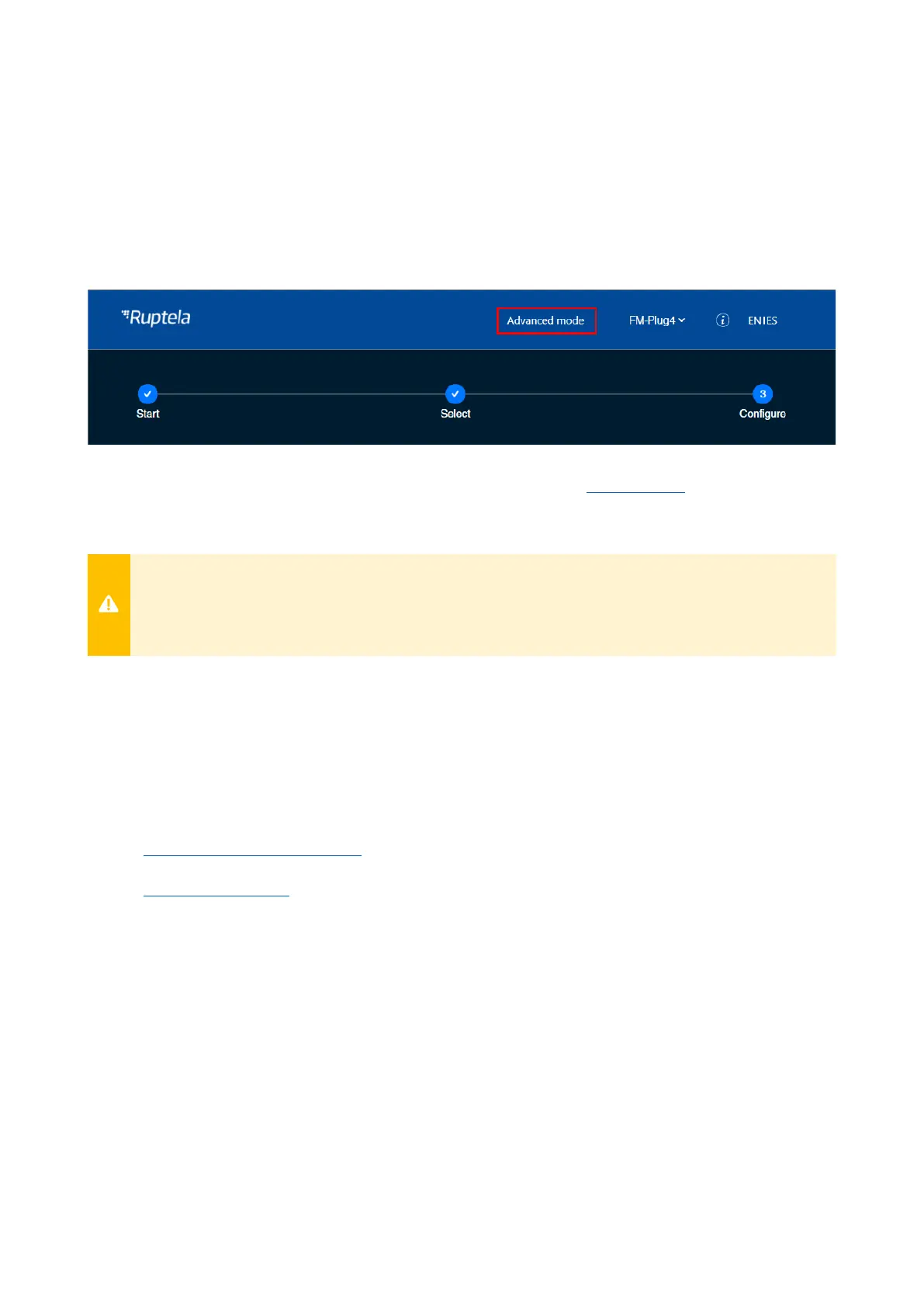
The Device Center allows you to configure the main functionalities of your device. If you wish to
have additional control over what data is received or to configure more advanced functionalities,
you can switch to the advanced configurator by clicking Advanced mode in the top bar at any
time.
A detailed description of the advanced configurator is available at doc.ruptela.lt.
Close the advanced configurator to return to the Device Center.
If you change any settings that are only available in the advanced configurator, you will not
be able to use that configuration in the Device Center and will need to reset it. The
configuration saved to the device will not be affected.
6.6 Configuration via SMS Commands
Alternatively, the device can be configured using SMS commands. Please refer to the following
documents for an in-depth description:
• Device configuration via SMS
• SMS commands list


 To Next Page