Instruments and controls 111
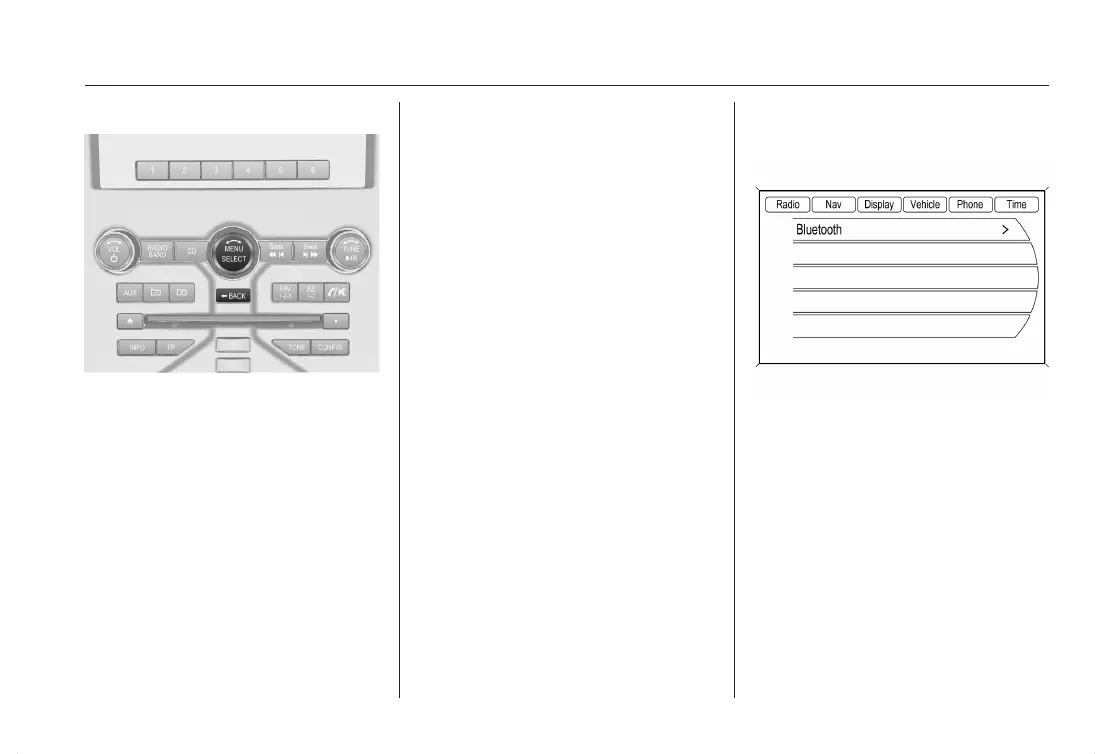
Multifunction knob Menu/Select
Select a function via the Infotainment
system buttons. The menu of the se‐
lected function is displayed.
The multifunction knob is used to se‐
lect an item and to confirm.
Turn the multifunction knob
■ To mark a menu option
■ To set a numeric value or to display
a menu option
Press the multifunction knob
■ To select or activate the marked op‐
tion
■ To confirm a set value
■ To switch a system function on/off
■ To bring forward a context sensitive
menu.
BACK button
Press button to:
■ exit a menu without changing set‐
tings
■ return from a submenu to a higher
menu level
■ delete a last character in a charac‐
ter sequence
Press and hold the button for a few
seconds to delete the entire entry.
Vehicle Personalization 3 119.
Memorized settings in the remote
control 3 19.
Color Information Display (CID)
with Touch-Screen-functionality
The Color Information Display (CID)
is a touch screen display and indi‐
cates in color:
■ time 3 94
■ outside temperature 3 93
■ date 3 94
■ Infotainment system, see descrip‐
tion for Infotainment system
■ navigation, see description for Info‐
tainment system
■ system settings













 To Next Page