94 Instruments and controls
9 Warning
The road surface may already be
icy even though the display indi‐
cates a few degrees above 32°F
Compass
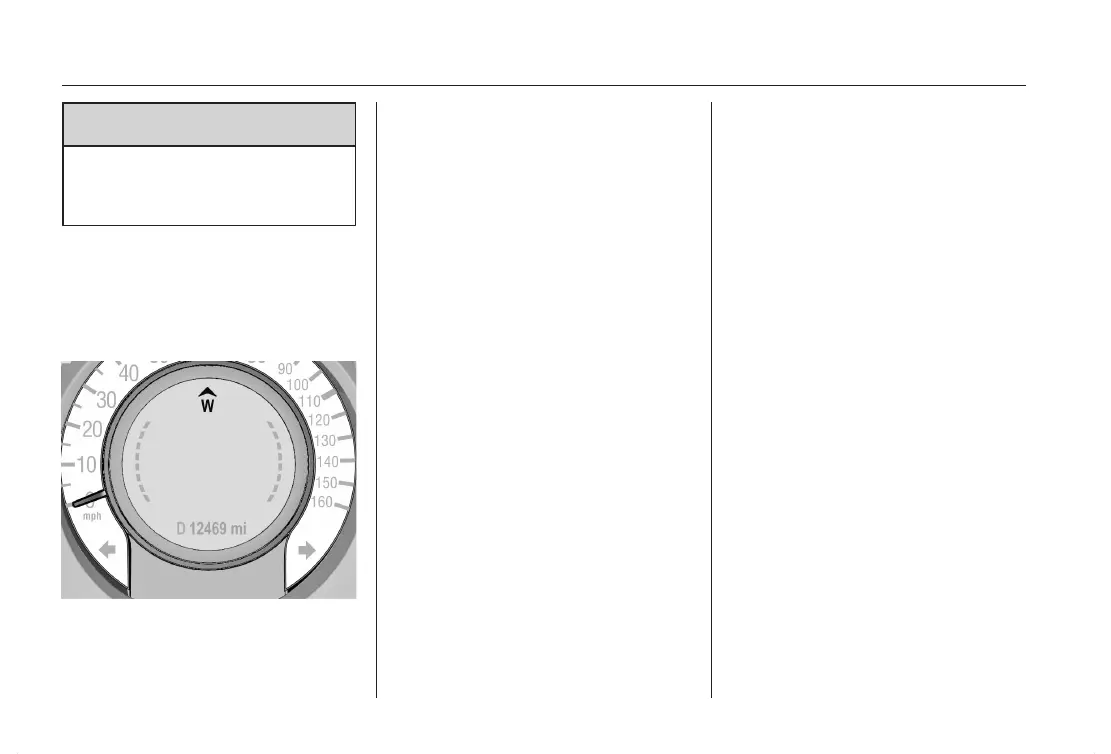
Compass information is displayed on
the Driver Information Center (DIC)
by a heading arrow and the global ori‐
entation (North, East, South, West).
The compass receives its heading
and other information from Global Po‐
sitioning System (GPS) antenna,
Electronic Stability Control system
and vehicle speed information. Avoid
covering the GPS antenna for long
periods of time with objects that may
interfere with the antenna's ability to
receive a satellite signal.
Compass messages
The compass system is designed to
operate for a certain number of miles
or degrees of turn before needing
a signal from the GPS satellites.
When the compass display shows
CAL, the compass needs to be cali‐
brated. Drive the vehicle for a short
distance in an open area where it can
receive a GPS signal.
The compass system will automati‐
cally determine when GPS signal is
restored and provide a heading
again.
– – – is indicated when the compass
needs service. Seek the assistance of
a workshop.
Clock
Date and time are shown in the
Info-Display.
Graphic Information Display
(GID)
Set date and time
Press the CONFIG button. The menu
Settings is displayed.
Select Time Date.
Selectable setting options:
■ Set time: Changes the time shown
on the display.
■ Set date: Changes the date shown
on the display.
■ Set time format: Changes indica‐
tion of hours between 12 h and
24
h .
■ Set date format: Changes indica‐
tion of date between MM/DD/
YYYY and DD.MM.YYYY.
■ RDS clock synchronization: The
RDS signal of most VHF transmit‐
ters automatically sets the time.
RDS time synchronization can take
a few minutes. Some transmitters
do not send a correct time signal. In
such cases, it is recommended to
switch off automatic time synchro‐
nization.



 To Next Page