MAGIC 3. OPERATION
Saeco International Group REV.5 SEPT.2004 Page 13/14
4.2. User programme (Magic Comfort +, Magic Comfort + RD)
The table below indicates the various values, settings and programmes which can be read and selected
through the user programme options.
Various cleaning programmes can also be activated.
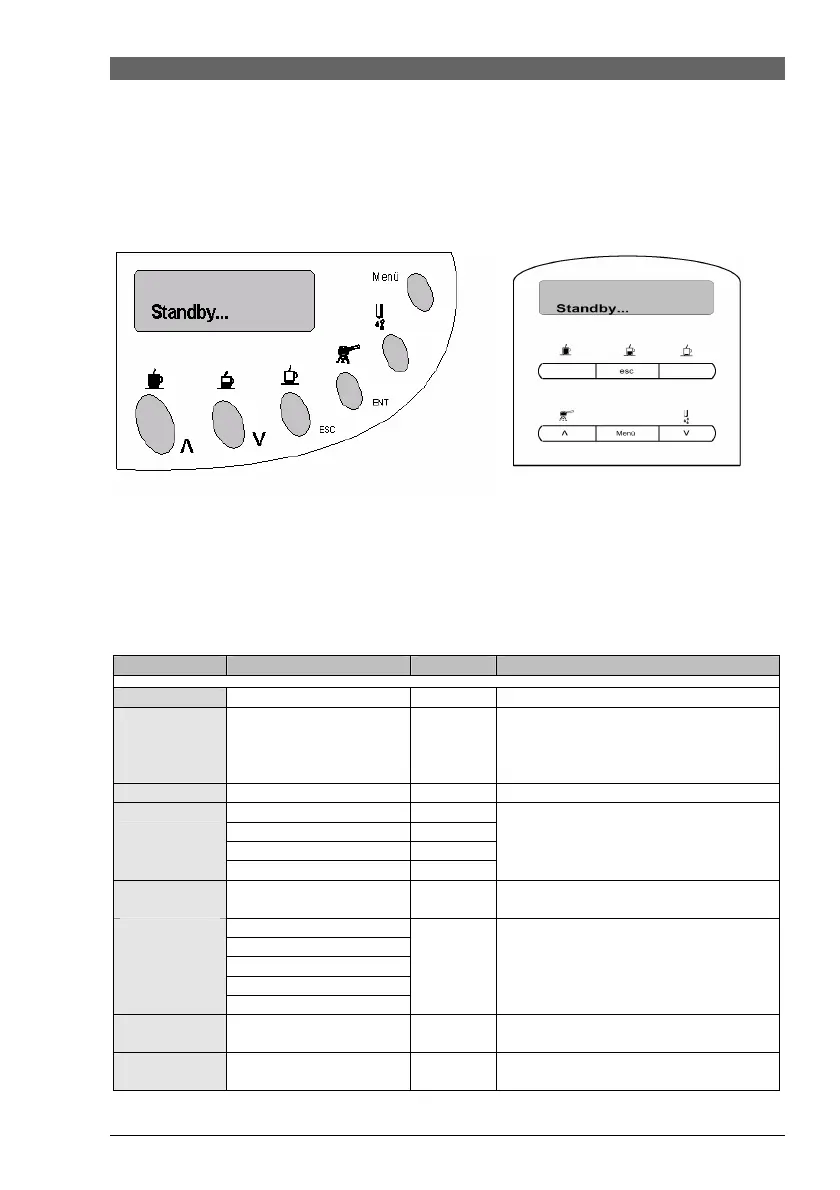
Selection entry: Selection entry via menu button.
Menu procedure:
1. Select desired programme using the cursor buttons (arrow buttons).
2. Access appropriate item using the ENTER/MENU (in RD) button.
3. Use the arrow buttons to handle each item.
4. Confirm by using the ENTER/MENU (in RD) button.
5. Exit programme by using the ESC button.
Item
Setting/Indicator
Standard
Function
Standby
Rinse
ON/OFF
OFF
Rinses after every residual water draining
from circuit/brewing unit (only when
machine is turned on and temperature of
boiler is below 50°C).
Language
Country
German
Display language
1 – 500 l
3
2 – 300 l
3 – 150 l
Water hardness
4 – 80 l
Change in coffee quantity until descaling
required (1-4).
Heating plate
ON/OFF
Activate / deactivate heating plate.
Heating plate
Maximum
High
Medium
Low
Expresso lungo
Temperature
Minimum
Medium
Adjustment of coffee temperature (±2ºC).
Coffee
Temperature
See Expresso lungo
Medium
Adjustment of coffee temperature (±2ºC).
Expresso
Temperature
See Expresso lungo
Medium
Adjustment of coffee temperature (±2ºC).










 To Next Page