© Safe Fleet | September 2019 | All rights reserved
SSV9 Installation and Setup Guide
29
R2
System Conguration
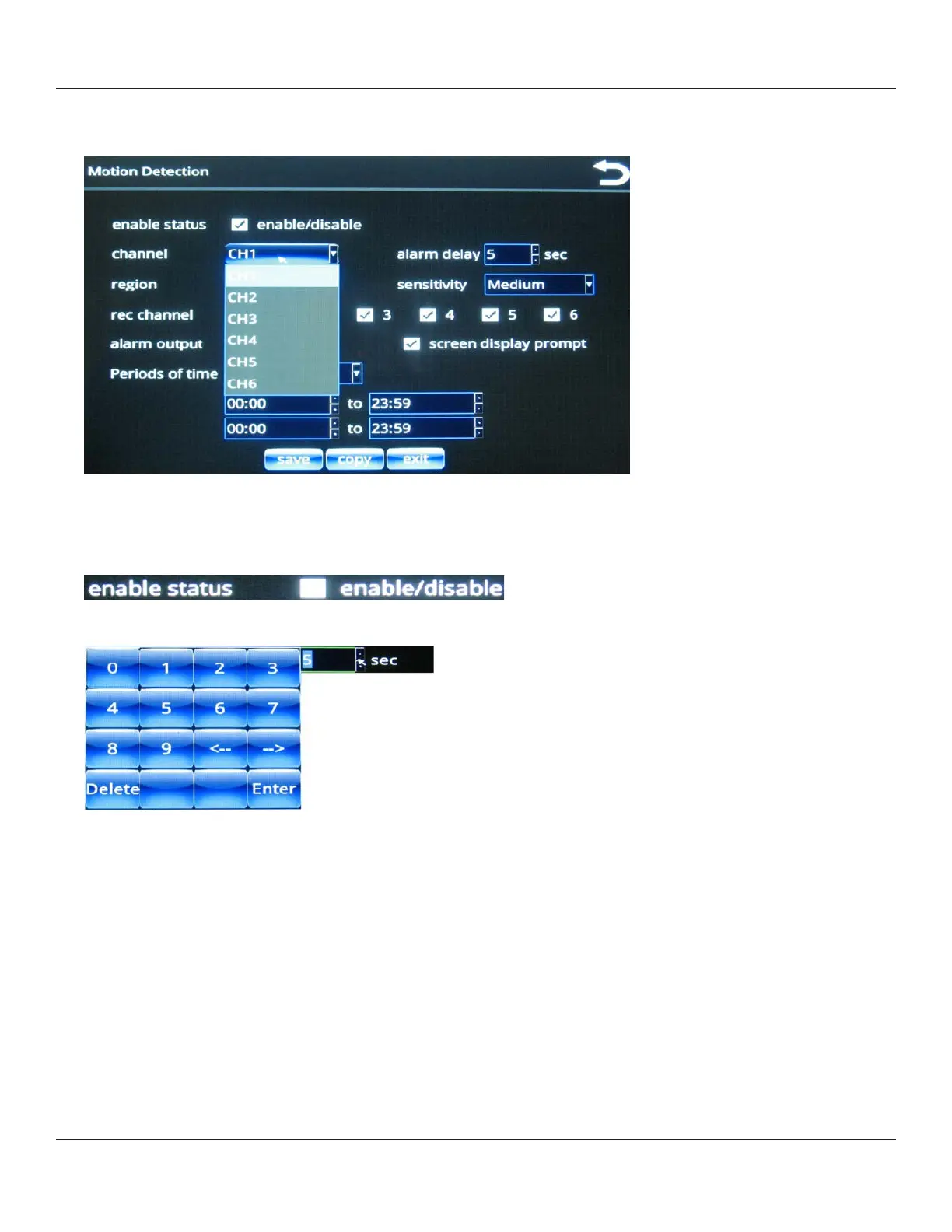
The Motion Detection menu enables you to set motion detection properties for each of the six channels, which are
selectable from the channel pull-down menu.
After you select a channel from the menu, you can apply properties for that channel as described in the following
steps.
2. Enable Status: use the check box to enable and disable motion detection.
3. Select the alarm delay (in seconds) by pressing in the eld and using the numeric keypad.
Press Enter when done.
Alarm delay is the length of time the alarm channel displays in full-screen mode and with a recorder.



 To Next Page