© Safe Fleet | September 2019 | All rights reserved
SSV9 Installation and Setup Guide
30
R2
System Conguration
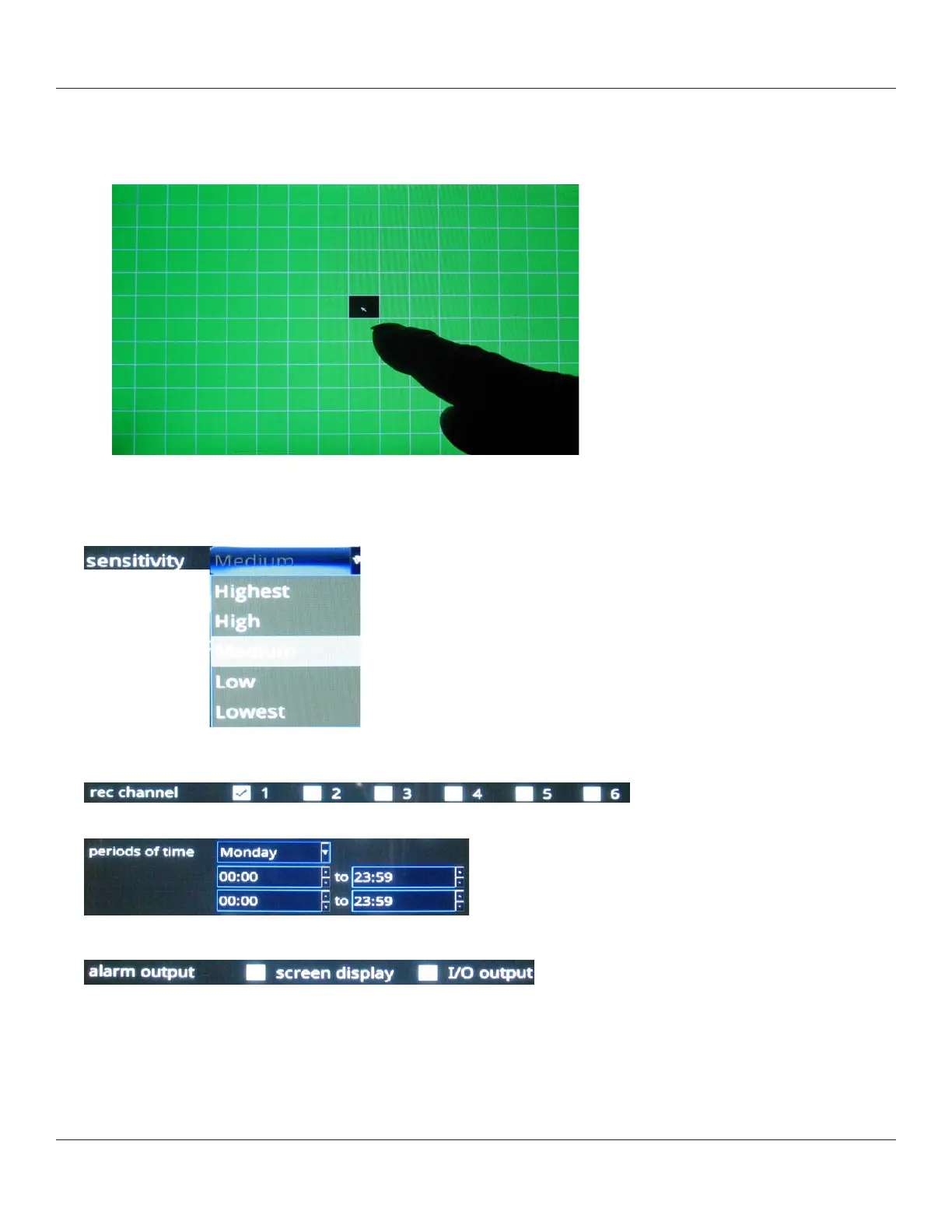
4. Set detection region(s) for the channel:
i. Press the Set button.
A grid displays on a green screen, where you can select detection regions by touching squares on the grid.
ii. After making your selection (one or multiple squares), press the [X] button at the right bottom corner of the screen
5. Sensitivity: select a detection sensitivity level.
6. Use the check boxes to select channel(s) for recording when motion is detected.
7. Select periods of time.
8. Select the alarm output.
As with alarms, both options can be selected. I/O output displays a yellow “motion” icon on the screen.



 To Next Page