JUL 2023 | R1.7© Safe Fleet | All rights reserved
2. Installing FOCUS H2 In-car Video System
FOCUS H2 Installation Guide
p. 10
2.6 Mounting the Rear Camera
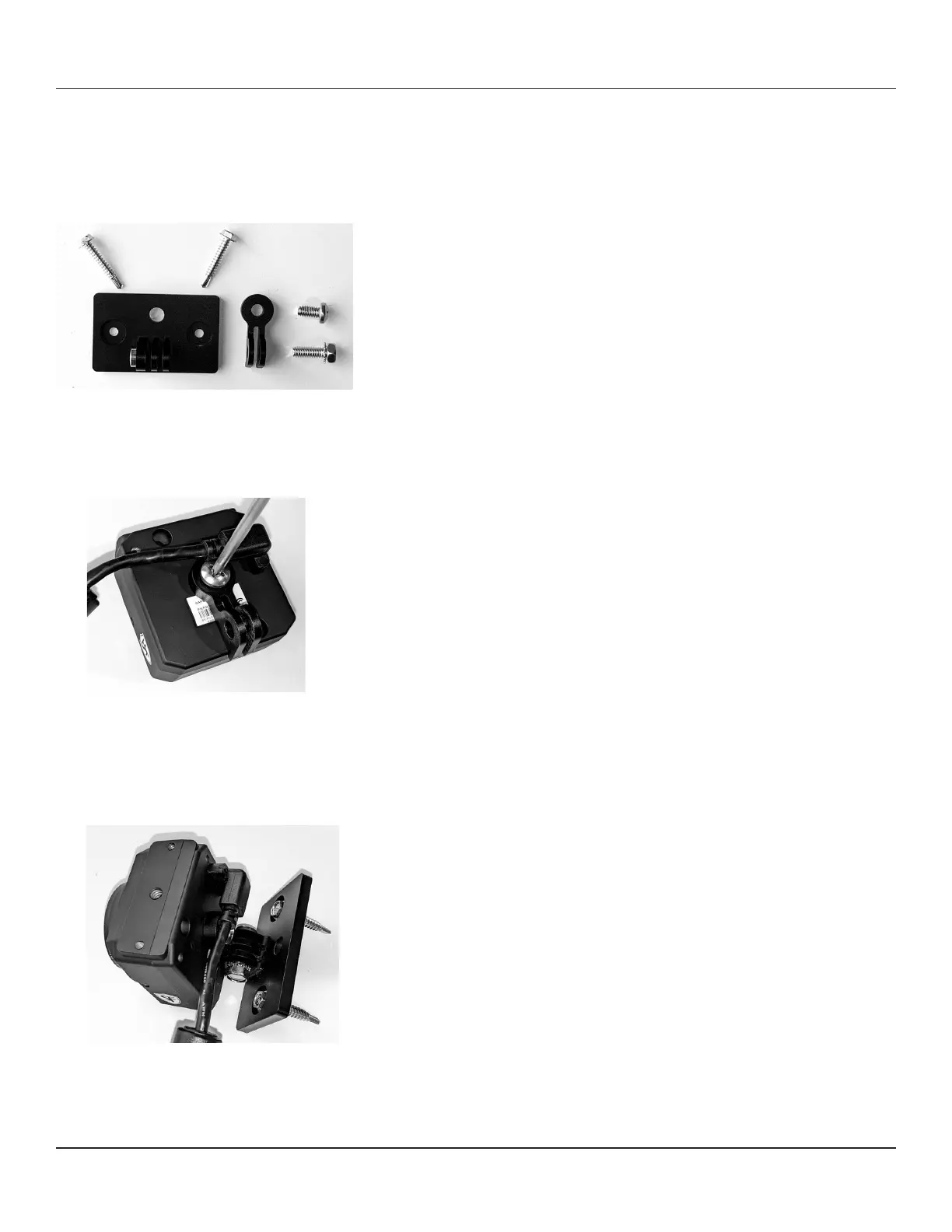
Hardware provided for rear camera installation:
(2) self-drilling screws, mounting plate, camera mount, hex head screw with lock washer, and pan head screw
To mount the rear camera, follow these steps:
1. Make sure the rear camera is orientated correctly. The part number sticker should face up. Bolt the camera mount to
the rear of the camera using the pan head screw. Make sure the camera mount is on the bottom of the camera.
2. Mount the plate on the cage using the (2) self-drilling screws. Make sure the mounting section is on the bottom of the
plate.
3. Using the hex head screw with lock washer, connect the camera to the mounting plate. Position the camera and tighten
the screw.
4. Hide the cable above the headliner or towards the front of the cage.



 To Next Page