JUL 2023 | R1.7© Safe Fleet | All rights reserved
2. Installing FOCUS H2 In-car Video System
FOCUS H2 Installation Guide
p. 11
2.7 Wiring the FOCUS H2
2.7.1 Using the Power Harness for Wiring the CPU
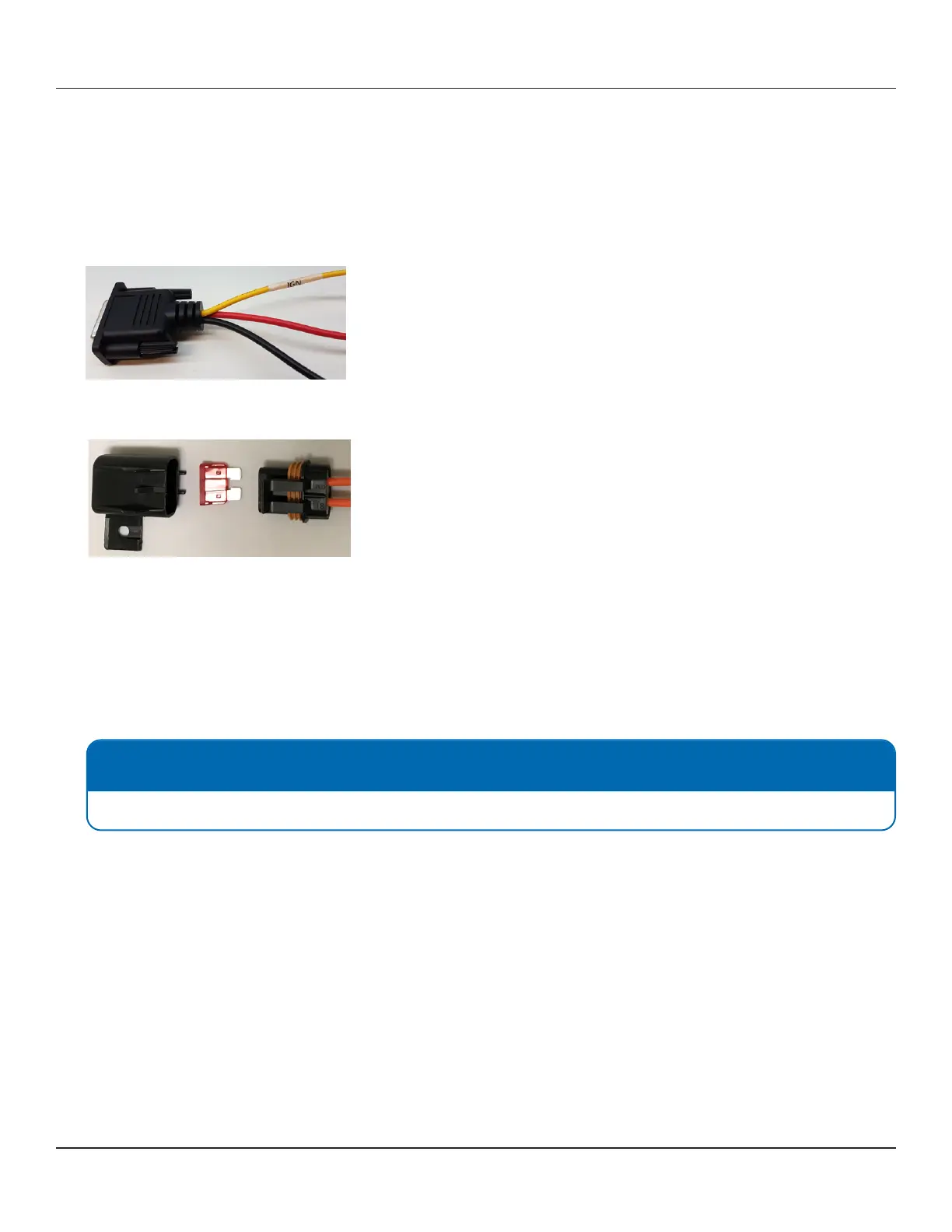
To wire the FOCUS H2 using the Power Harness, follow these steps:
1. Attach the BLACK wire of the POWER HARNESS to ground.
2. Take the inline fuse holder and release the clasp on the holder to remove the fuse.
3. Securely attach one end of the fuse holder wire to the RED wire.
4. Connect the other end of the fuse holder wire to the positive terminal of the battery.
5. Reattach the fuse, and x the fuse holder rmly into place.
6. From the power harness, run the YELLOW wire along the dash, and nally, connect it to an ignition source.
7. Connect the Power Harness to the power pigtail on the CPU.
2.7.2 Wiring the Monitor
To wire the monitor, follow these steps:
1. Lay out the monitor extension cable (black) from the monitor location to the CPU.
2. Connect the monitor pigtail to the monitor extension cable.
3. Connect the monitor extension to the port on the back of the CPU labeled LCD. To connect the extension securely,
thread up and thread down the connectors at the base of the plugs.
NOTE: Connecting the Power Connector
When connecting the power connector, line up the arrows on each connector to point to each other.



 To Next Page