JUL 2023 | R1.7© Safe Fleet | All rights reserved
2. Installing FOCUS H2 In-car Video System
FOCUS H2 Installation Guide
p. 12
NOTE: Orientation
For proper orientation make sure the top at side of the connector is facing up.
2.7.3 Wiring the Front Camera
To wire the front camera, follow these steps:
1. Run the camera extension cable (brown) from the front camera location to the CPU.
2. Connect the camera pigtail to the camera extension cable.
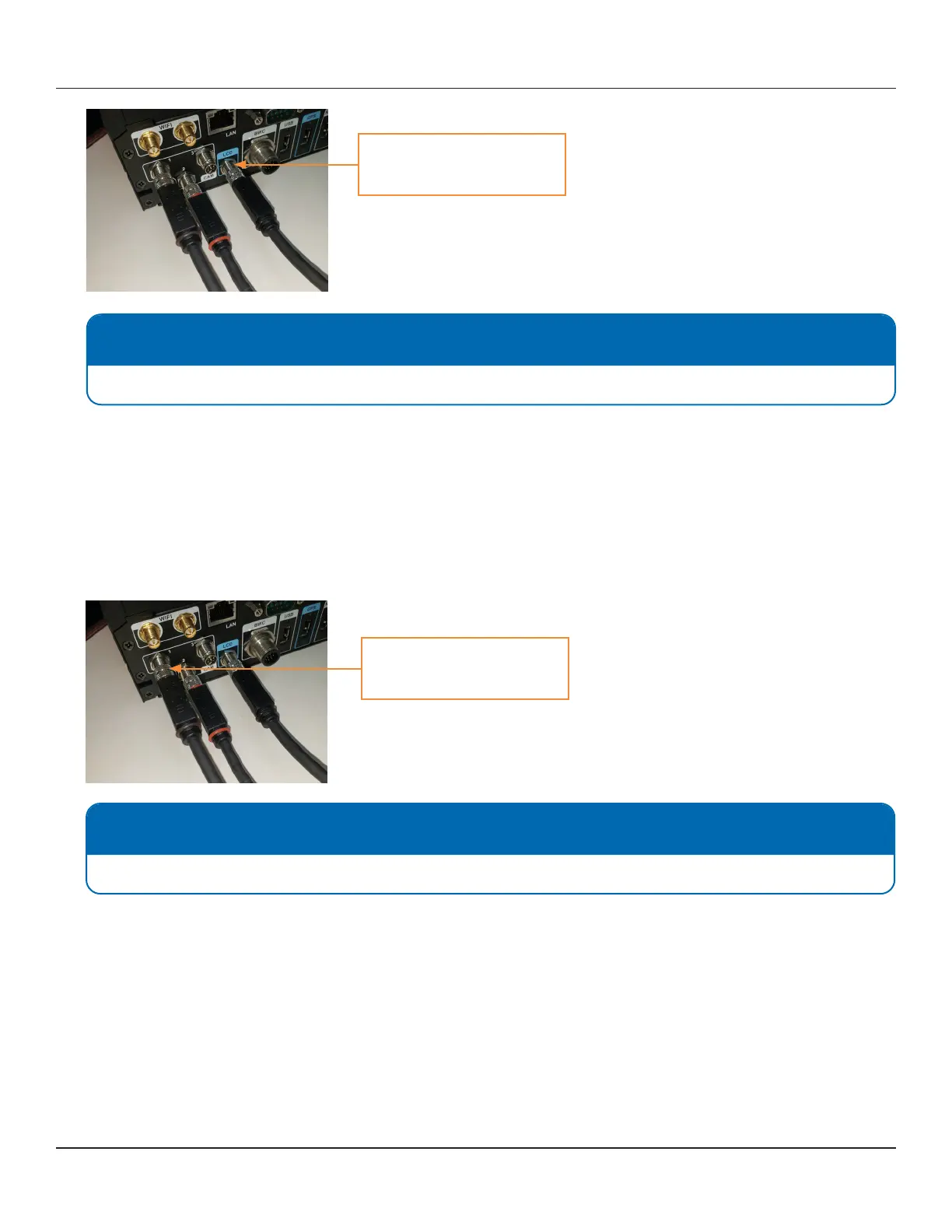
3. Connect the camera extension to the port on the back of the CPU labeled CAM 1. To connect the extension securely,
thread up and thread down the connectors at the base of the plugs.
NOTE: Orientation
For proper orientation make sure the top at side of the connector is facing up.
Connect the monitor extension
cable (black) here
Connect the camera extension
cable (brown) here



 To Next Page