JUL 2023 | R1.7© Safe Fleet | All rights reserved
2. Installing FOCUS H2 In-car Video System
FOCUS H2 Installation Guide
p. 13
2.7.4 Wiring the Rear Camera
To wire the rear camera, follow these steps:
1. Run the camera extension cable (red) from the rear camera location to the CPU.
2. Connect the camera pigtail to the camera extension cable.
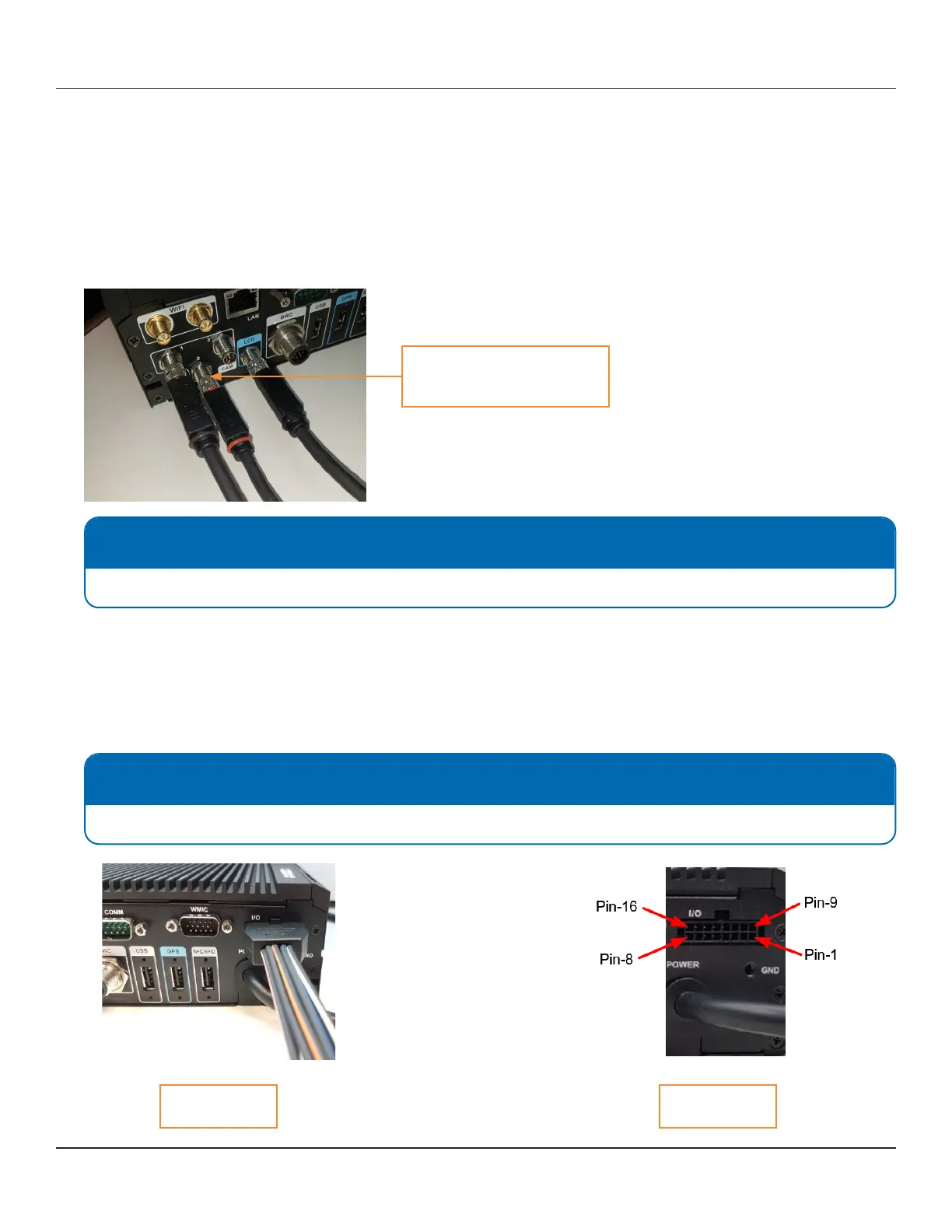
3. Connect the camera extension to the port on the back of the CPU labeled CAM 2. To connect the extension securely,
thread up and thread down the connectors at the base of the plugs.
NOTE: Orientation
For proper orientation make sure the top at side of the connector is facing up.
2.7.5 Connecting the I/O Cable
To connect the I/O cable, follow these steps:
1. Connect the I/O cable to the port on the CPU labeled I/O.
2. Attach the Black wire with the Yellow Stripe to a 12V output signal from the lightbar.
NOTE: Digital Inputs & Outputs
Digital Inputs and outputs are congured in the Command Center Back ofce.
CPU Back Panel I/O Port
Connect the camera extension
cable (red) here



 To Next Page