JUL 2023 | R1.7© Safe Fleet | All rights reserved
2. Installing FOCUS H2 In-car Video System
FOCUS H2 Installation Guide
p. 5
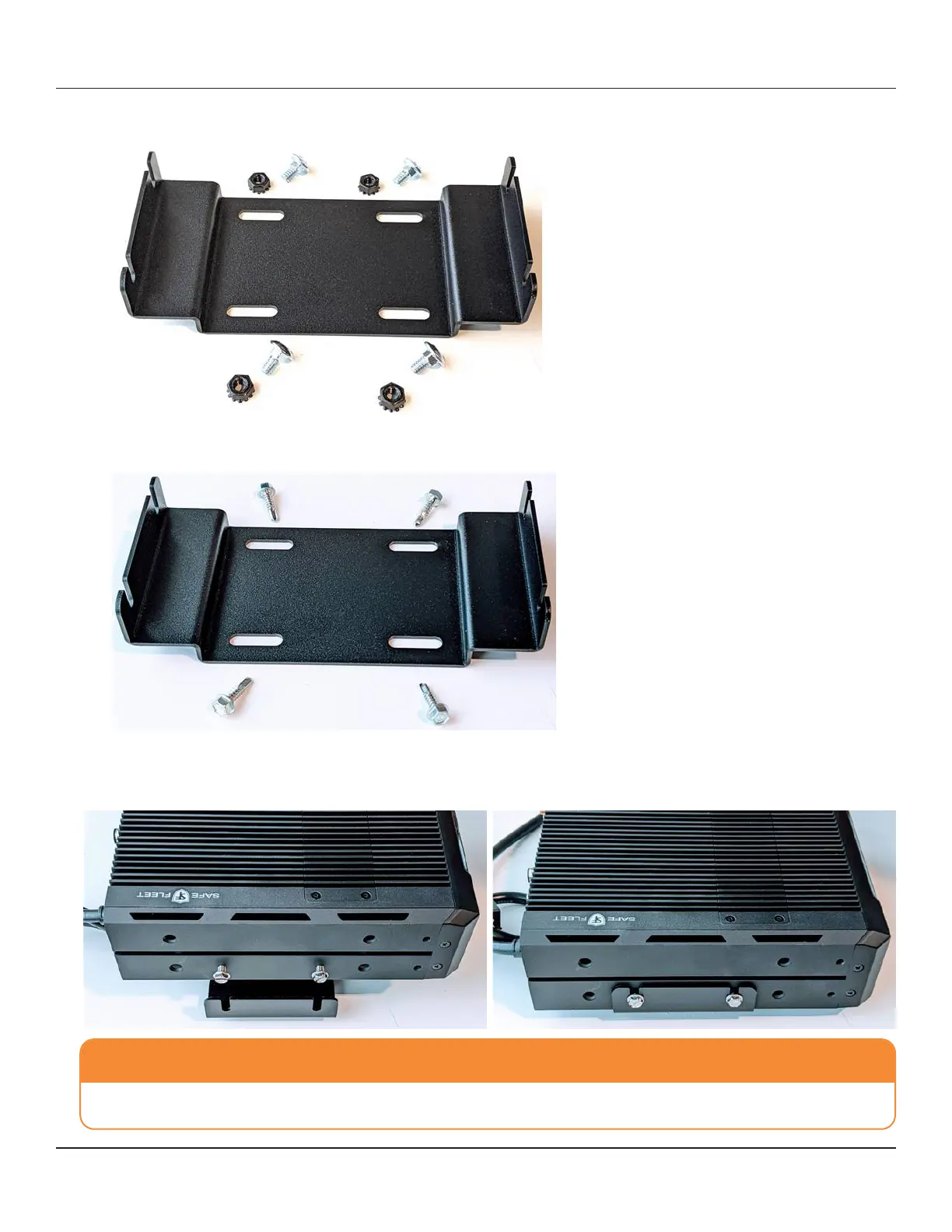
a. If a rack is present, fasten the CPU mounting bracket to the rack with 4 x 1/4”-20 carriage bolts and nuts.
b. If a rack is not present, fasten the CPU mounting bracket to the vehicle with 4x #10 self-tapping screws.
CAUTION: Be Careful...
Be careful not to damage the vehicle’s fuel tank with the self-tapping screws.
3. Once the CPU mounting bracket is xed to the vehicle, utilize the provided 4 x #10-32 screws to fasten the CPU to the
bracket as shown in the pictures below.



 To Next Page