JUL 2023 | R1.7© Safe Fleet | All rights reserved
2. Installing FOCUS H2 In-car Video System
FOCUS H2 Installation Guide
p. 8
ii. Install the camera mount by inserting a carriage bolt into the hanging bracket with a set of white plastic
washers, a split washer, and a locking nut as shown in the gure above.
Notice that there are upper and lower mounting positions to choose from, depending on the agency's mounting
policy.
b. To mount the front camera using the Fixed option:
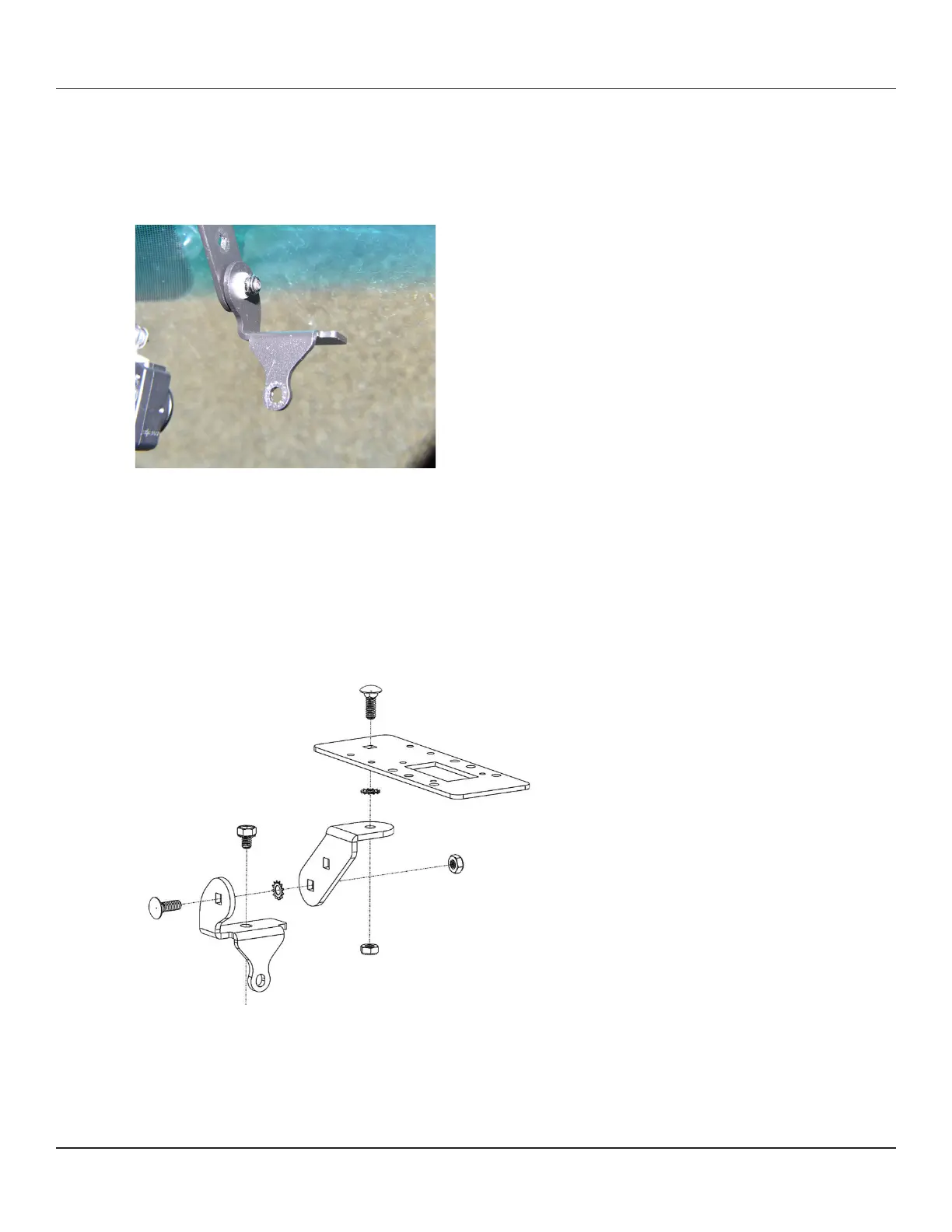
i. Insert a tooth lock washer and the hanging bracket to the carriage bolt installed in Step 2, followed by a locking
nut as shown in the gure below.
ii. Insert a carriage bolt into the camera mount, followed by a tooth lock washer, the hanging bracket, and a
locking nut as shown in the gure below.
Notice that there are upper and lower mounting positions to choose from, depending on the agency's mounting
policy.



 To Next Page