19
SafeLine MX2 v.5.2.1 EN
Operation
LED indication
for pictogram
in car
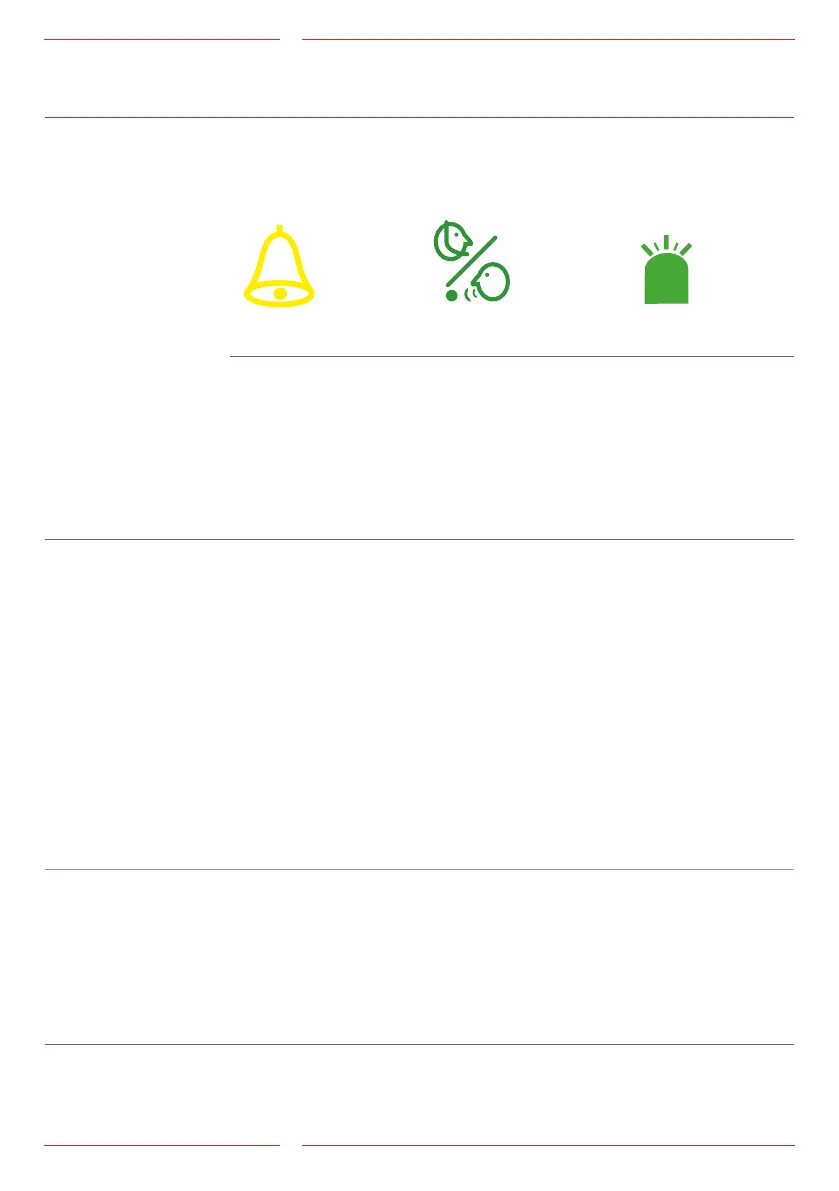
Yellow LED Green LED System LED
Call in progress
The yellow pictogram
LED is lit as soon as the
alarm button is pressed.
Call connected
The green pictogram
LED turns on as soon as
the SafeLine unit detects
a responding voice. The
LED is turned off when
the call is terminated.
The system LED is
located on the back-
side of the unit.
Standard(*78*0#) Yellow LED Green LED System LED
Light off No alarm activated Telephone line not OK.
Flashing slowly Flashing once every 5
seconds
Telephone line not OK.
Flashing once every 5
seconds
Unit is OK.
Flashing once every 5
seconds:
Telephone line OK.
Flashing quickly Flashing twice every
second
Alarm button active.
Flashing two times
every 5 seconds
Alarm lter activated.
Flashing two times
every 5 seconds:
No telephone connec-
tion available.
Flashing rapidly:
Incoming call.
Continuous light Activated alarm.
Remains lit until reset.
Call connected. Call connected.
Strictly EN81-28
(*78*1#)
Yellow LED Green LED
Flashing Flashing twice every
second
Alarm button active.
Continuous light Activated alarm.
Remains lit until reset.
Call connected.
Test alarm failure Yellow LED Green LED
Light on for 1 second
then light off for 1
second
Testalarm(linecheck)
failed
Returns to normal at
next valid test alarm.
Testalarm(linecheck)failed
Returns to normal at next valid test alarm.


 To Next Page