SAFETYTEST 1ST User Manual
SAFETY
SAFETYTEST GmbH June 15
2015 Page 20 of 22
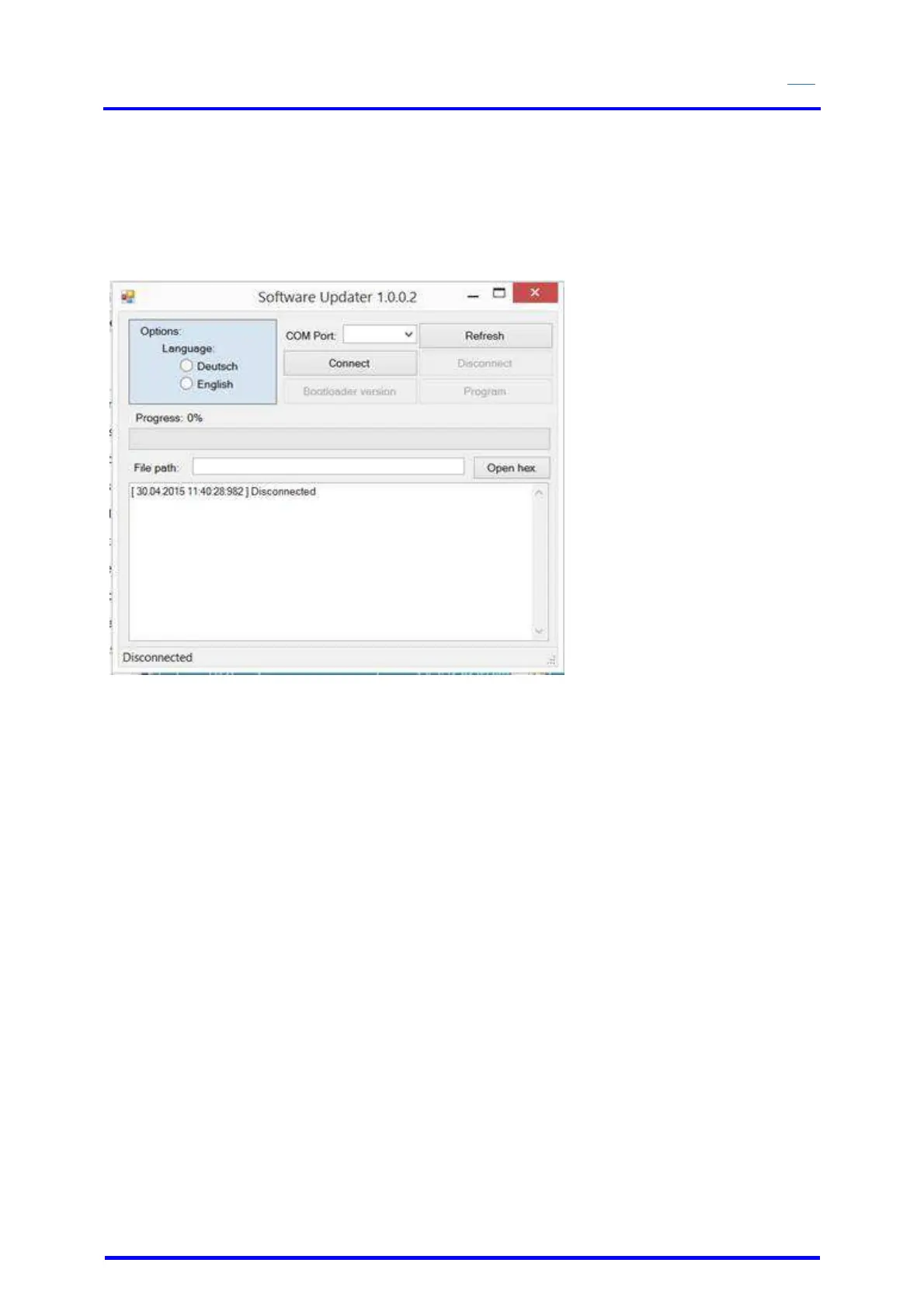
12 Updating the Firmware
Connect the tester to the USB interface of the PC.
Start the PC program Bootloader.
Select the COM port in the menu
Select the menu „Open Hex File“
Disconnect the power plug from the tester.
Select the “Connect” button. The green “Progress” bar will slowly be filled.
Connect the tester to the power. The green “Progress” bar will be filled.
Select the “Program” button.
After completing the programming of the tester, disconnect it from the power and reconnect it
again.


 To Next Page