This document and the information therein are the property of Morpho, and must not be
copied or communicated to a third party without the prior written authorization of Morpho.
13
Wiegand Communication (continued)
MorphoAccess® SIGMA Lite Series –
Quick User Guide - 2015_2000005700-V4
Example Format Information
Type: Standard 26-bit
Alt Site Code and Fail Site Code Range: 0-255
Template ID Number Range: 1-65535
Extended ID Number Range: N/A
ID Start Bit: 9
Length of ID: 16
Site Code Start bit: 1
Length of Site Code: 8
Start Bit length : 0
Important
By default, the Wiegand output format is not enabled.
Wiegand output must be configured before connecting to the
ACP.
Note
On installation, the system administrator will be prompted to
select either a pre-existing Wiegand frame format or create a
custom format, and upload it to the unit before the first use.
Data Clock
The Wiegand port also supports the Clock & Data protocol.
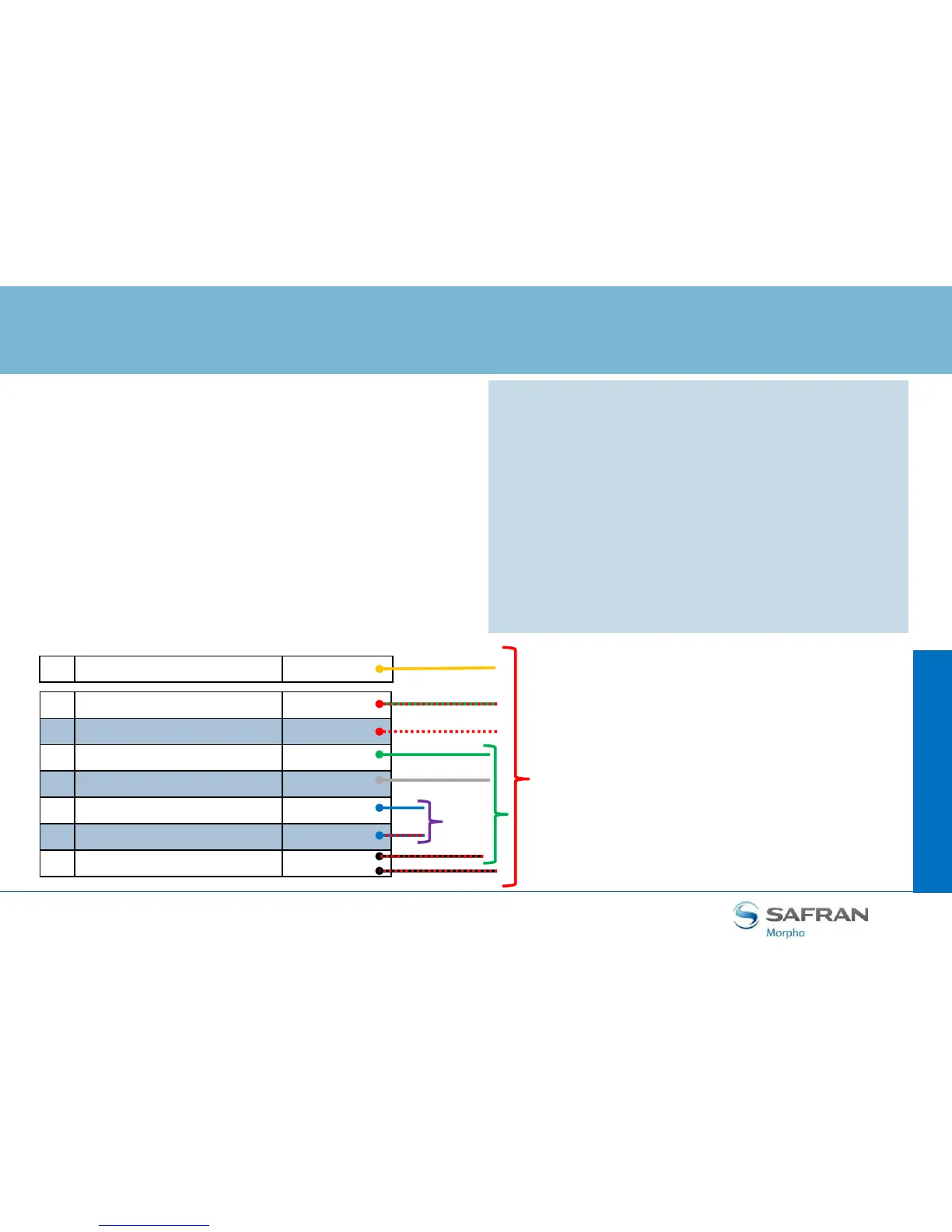
The wiring is described below.
Step
three : communications
13 WIEGAND_IN0 Green / Red
15 WIEGAND_IN1 White / Red
14 WIEGAND_OUT0 Green
16 WIEGAND_OUT1 White
17 WIEGAND_LEDOUT1 Blue
18 WIEGAND_LEDOUT2 Blue / Red
20 WIEGAND_GND Black / Red
Data Clock Out
Data Clock In
LED
Out
Data
Clock
Data
Clock
11 WIEGAND_LEDIN (GPO_0) Yellow
LED In


 To Next Page