16
ENDING A CALL
When you have finished your call:
• Press or hang up the handset on the base
(for C130 ECO only).
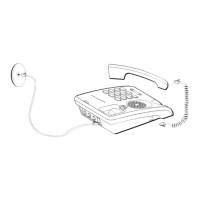
• Hang up the handset on the base (for C112 ECO only)
The line indicator goes off.
DURING A CALL
(ACCORDING TO YOUR OPERATOR)
Receiving a second call
During the call, a beep is transmitted to your telephone by your
service provider to let you know that you have a second
call waiting.
Press then to take this new call.
Your other caller is then put on hold and you can talk with your
second caller.
Making a second call
During a call, you can put your contact on hold and call a second
one by pressing and dial the number using the keypad.
The second call is then launched, with the first call still on hold.
You can also dial a number in pre-dialling mode,
whether in handset or speakerphone mode: dial the
number on the keypad and then lift the handset or
press (for
C130 ECO
only).
If necessary, you can correct the number entered by
pressing .


 To Next Page