6105
6105
6105
6105 Belt
Belt
Belt
Belt Feeder
Feeder
Feeder
Feeder integrator
integrator
integrator
integrator ---
---
---
--- User
User
User
User ’
’
’
’ s
s
s
s Guide
Guide
Guide
Guide ---
---
---
---
10
Chapter
Chapter
Chapter
Chapter 3
3
3
3
Opera
Opera
Opera
Opera tion
tion
tion
tion
3.1 Keypad
Keypad
Keypad
Keypad
This chapter describes operating procedures for the 6105 integrator.
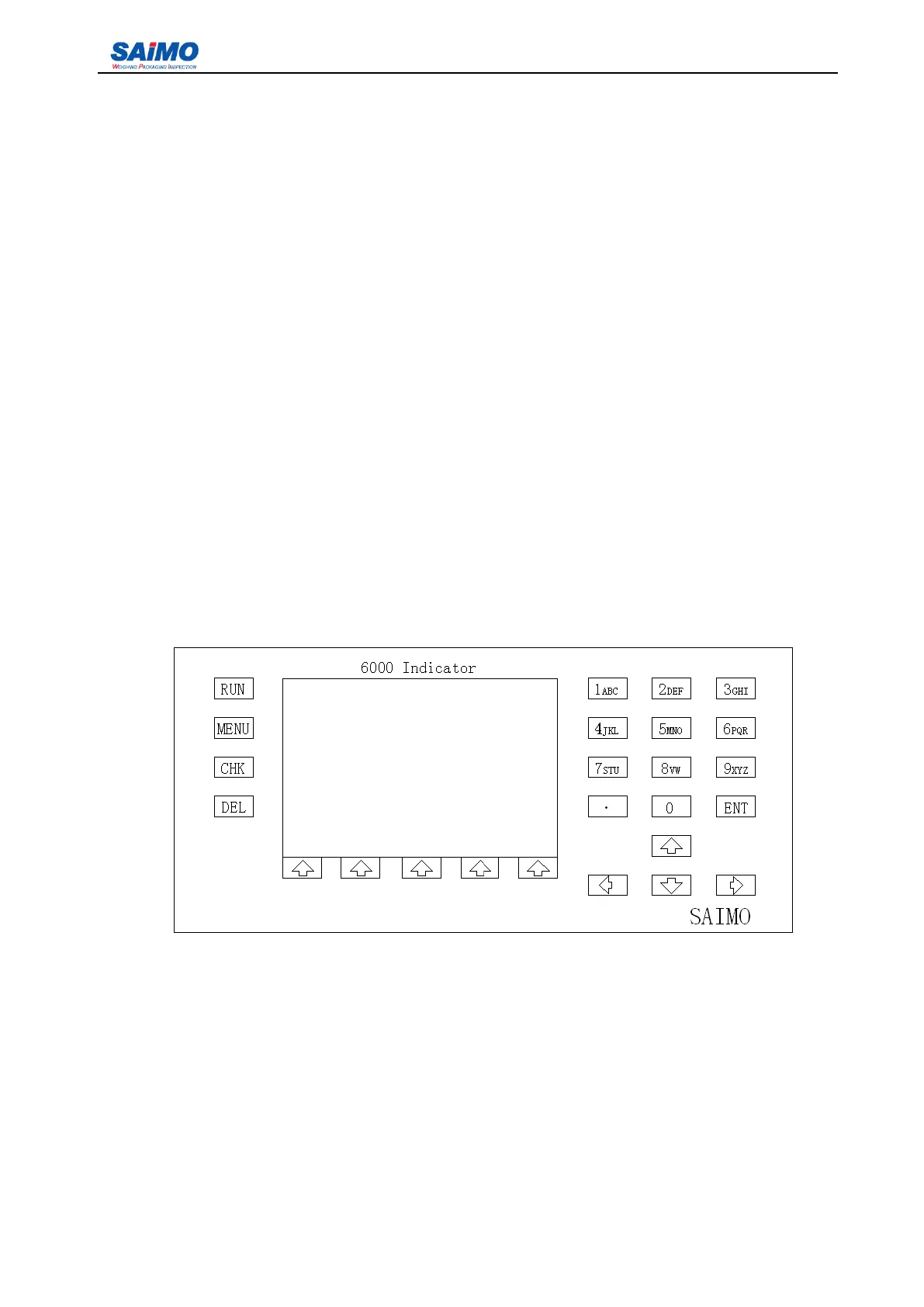
The keypad on the front panel includes hard keys and five soft keys. Hard keys located on the right half
side of the front panel perform specific functions as assigned. Below is a list of the keys and their
functions:
1. “ RUN ” – enter the running mode, the controller can enter the running mode whenever the key is
pressed .
2. “ MENU ” – enter the main menu
3. “ CHK ” – self-check function (disabled)
4. “ DEL ” – delete the digit or punctuations
5. Num eric key s 0~9 — input the data parameter
6. Decimal “ . ”— input the decimal
7. “ UP ” , “ DOWN ” , “ RIGHT ” , “ LEFT ” arrow key — move cursor in different directions
The five soft keys located under the LCD perform different functions depending on the menu being
Figure 5-1 Front Panel



 To Next Page