39
Part 4: Installation the Mach3
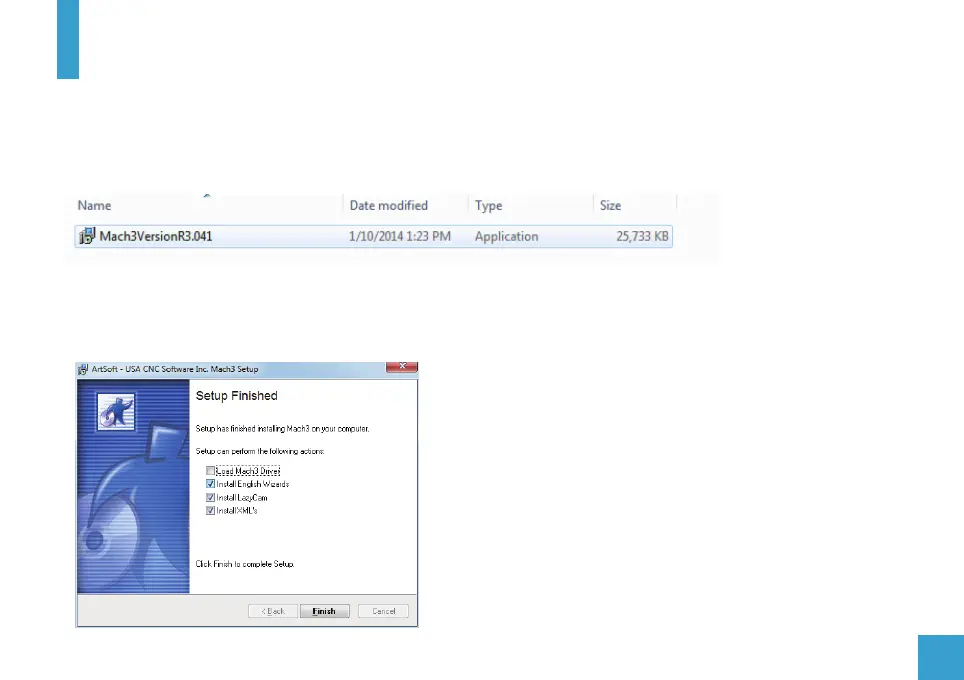
1. Open the mach3 official download link and download the mach3 installation file.(Version may vary)
https://www.machsupport.com/software/mach3/
2. Double-click the installation file
3. Follow the prompts to install, until the last step.
Note: For 64-bit computer, it is best not to select “LoadMach3 Driver” this one, because it will cause the system to
prompt installation errors.


 To Next Page
 Loading...