ENGLISH
3
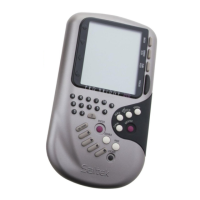
ŒValue keys
Each card value from the two to the Ace has a
key. “1” is for use in bidding.
„Suit keys
Each suit has its own key. Plus a NO TRUMP
key.
ÂENTER
Press to confirm play/bid/hint/claim, move to the
next round of cards being played and to receive a
new deal.
ÊDOUBLE
Doubles the previous bid - indicated by a “d” on
the screen. Also lets you redouble, indicated by
an “R”.
ÁPASS
To pass on your turn to bid - indicated by “-” on
the screen.
ËESCAPE
Press to exit CLAIM, VIEW INFO,SCORE and
HINT modes. Press while playing or during
bidding to return to DEAL SELECTION.
È Battery compartment
In base of unit.
ØACL
In base of unit. Used to discharge static after
inserting a new battery.
∏ Socket for connecting to Pro Bridge 510.
1. Introduction
Pro Bridge 310 is a handheld bridge computer
ideal for anyone who likes a good game of
bridge. If you are a beginner, the accompanying
Introduction to Bridge
manual can help you
understand how to play the game; read it before
you begin.
Below are just some of the features of the
computer:
• choose Standard American 5-card majors or
ACOL bidding system (see section 3.1).
• choose random (shuffled) or numbered
(preprogrammed) deals
• view all the hands
• take advice for the next bid or play
• claim some or all of the remaining tricks you
think you are going to win (see section 3.4)
• check the current scores



 To Next Page