2 Installation Instruction
2.1 Pre-Installation Check
Though the products passed the factory severe test and checking before delivery
from the factory, damage may happen during delivery process. When the goods
arrived, before signing for acceptance, please check the package to see if there’s
any damage or deformed to the package box. If the packaging is
damaged/deformed, please don’t open the package but contact with the
distributors/SAJ as soon as possible.
2.1.2 Accessories Checking
Accessory items and quantity information can be found through the sticker on the
packing box. Please check and contact distributors/SAJ if there is any accessory
missing.
2.2 Installation Instructions
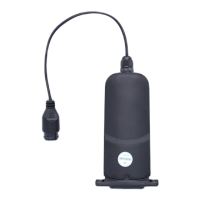
The installation manual is with installation instructions to eSolar RS485 Kit
Installation instructions to eSolar RS485 Kit
Step 1: eSolar WiFi-485 Installation Instructions
①Material Preparement:Users shall prepare a cable (cable diameter suggested:
φ5.0mm~φ7.0mm) and bring all the accessories that prepared by SAJ;


 To Next Page
 Loading...