Setting procedure:
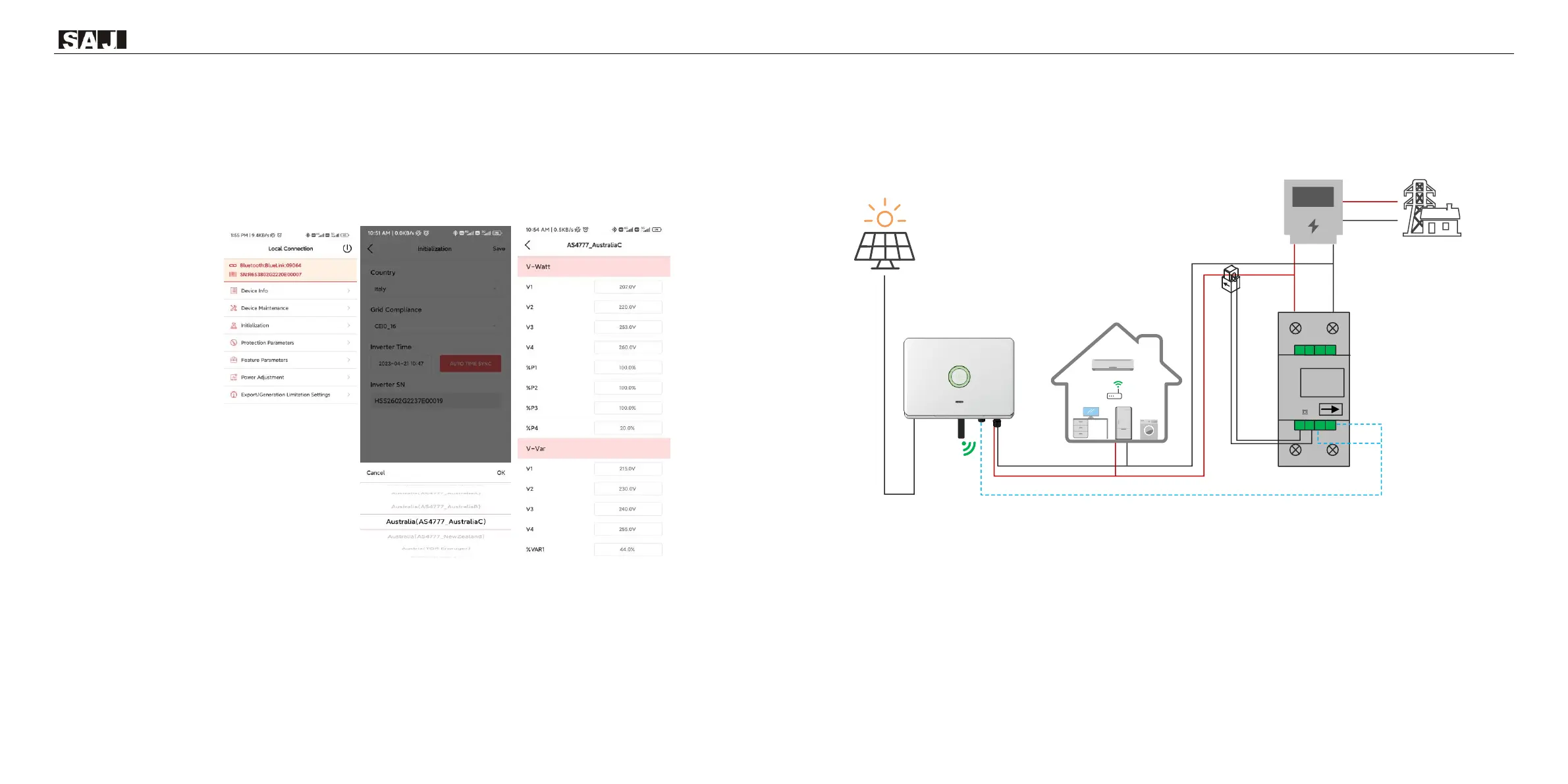
1.AS4777 grid compliance has been set during production, please select corresponding grid compliance according to state
regulation during installation. You can choose a state regulation compliance with your local grid via eSAJ Home.
2. Log in to eSAJ Home, click “Local Connection”, for connection procedure please refer to chapter 6.2 for Monitoring
Operation.
3. Click “V-Watt/V-Var” to enter DNSPs settings, choose a suitable state regulation from the drop down list.
Note:
With regard to the Power rate limit mode, SAJ sets the product WGra to
16.67%Pn by default in the following cases according to the requirements of 3.3.5.2 as 4777.2: 2020.
1. Soft ramp up after connect,
2. Reconnect or soft ramp up/down following a response to frequency disturbance.
6.4 Export Limit Setting
Figure 6.4
Export limit wiring schematic
Enter the main page of local connection and click on Export limitation setting, enter the password “201561”.


 To Next Page
 Loading...